Company Website
AI, a freelancer or LaPage: which way should you build your business website?
Nov 25, 2026 · 7 min read
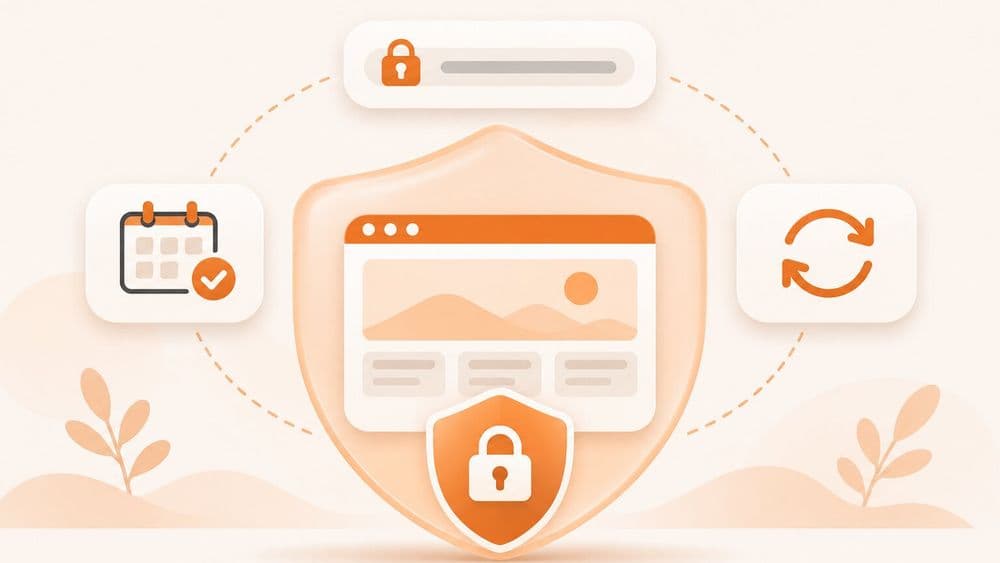
Most attacks on small business sites are automated. Here are the basics that close the usual gaps, what LaPage includes on every site, and a ten-minute check you can run yourself.
Ask a small business owner whether their website is secure and the answer is often a shrug: "Who would bother attacking us?" It is a fair question, and the honest answer is that nobody needs to. Most attacks are automated. Bots scan thousands of sites for an old plugin, an open form or a weak setting, and take whatever they find. Your site does not need to be a target to be hit.
What happens next is usually ordinary, and expensive. The browser shows a "not secure" warning, so visitors leave before they read anything. Spam pages or links get injected into the site, Google can flag them, and your real pages slide down. The contact form fills with spam until real enquiries are buried.
Some problems are not attacks at all. A price or a whole page disappears, and because several staff and a former freelancer can all log in, nobody can tell who did it or undo it. Customer details get handled carelessly, which damages trust and, as privacy rules tighten, creates risk.
A clinic holding patient enquiries, or a distributor whose staff all edit the site, needs these basics in place. They are rarely visible when they work, and very visible when they are missing.
Security on a LaPage website is part of the platform every site is built on, so the protections below are on every site from day one.
Every page runs on SSL, so the address starts with https:// and data between visitors and the site is encrypted. Updates are included in year one and in the care from year two, so the site does not sit on old, vulnerable software. Preview and staging copies are kept out of Google, so drafts never appear in search results.
A hidden honeypot field catches spam bots, Cloudflare Turnstile is added where needed, and each visitor has a rate limit on how often they can submit. Enquiries are stored in the CMS, not left only in an inbox.
Each person gets their own login through LaPage ID single sign-on, with a role that gives only the access their job needs, and access can be removed when someone leaves. An activity log and revisions show who made every change and when, and let you undo it. Drafts can be shared for review through signed preview links without being public. These are the same tools your staff use every day in the LaPage Website CMS.
The site runs in containers without administrator rights, so a problem in one part cannot take over the server. Access tokens are sealed on the server and never sent to visitors' browsers. Outbound requests are guarded, and embedded third-party content runs in a sandbox that cannot reach your site's pages or cookies.
Tracking loads only on the live site, not on previews or test copies. Security headers and a content security policy, with HSTS, tell browsers to only load trusted content and always use HTTPS. A cookie consent banner lets visitors Accept all, Reject all or Customize, and change their choice later from the footer. Analytics and ads load only after the visitor agrees, so you are ready for privacy rules.
Finally, your domain and content are in your name, and the Google accounts are handed to you on request. Owning your website this way means your customer data is not held by a third party you cannot reach.
None of this makes a site unbreakable, and nobody should promise that. It closes the gaps small business sites are most often caught by. If something does go wrong, LaPage support is there to pick it up.
Security depends a lot on how a website was made. An AI website builder usually handles SSL and server updates for you, which is a real advantage, but you have less control over forms, staff access and where your data lives. A freelancer often builds on a popular CMS with plugins. That can be secure if the plugins are kept updated, yet many sites are left on the versions they launched with. A template theme may bundle plugins and scripts you never use, and each one is something that has to be kept updated.
The question to ask anyone, including us, is: "Who keeps this site updated, who can log in, and how would we know what changed?"
You can do this in about ten minutes:
https:// and show a lock, with no warning.site:yourdomain.com on Google. Pages you do not recognise, or a test copy of your site, are worth investigating.Security and speed and reliability often fail for the same reason: nobody is looking after the site after launch. These checks show you quickly whether someone is.
No website is, and nobody should promise that. A LaPage website closes the gaps that most often catch small business sites: missing SSL, old software, open forms, shared logins and weak server settings.
It depends on your market and who your visitors are. Every LaPage website includes one. Visitors can accept all, reject all or customize, and change their choice later from the footer; analytics and ads load only after they agree, so you are ready if privacy rules apply to you.
You do. Enquiries are stored in the CMS for your site, and your domain and content are in your name. If you leave, you take them with you, and we transfer the analytics accounts to you.
If you would rather we run these checks for you, send us your website and we will include them in a short audit with your free demo.
LaPage Digital publishes systems-focused writing on architecture, automation, infrastructure, and operational delivery.

Subscribe to our newsletter to receive technical insights and updates on best practices for web development and hosting infrastructure.