Custom AI Agent setup for business

Turn the way your team works into an AI Agent built for the job.

LaPage designs and sets up AI Agents around your real workflows. They can research, prepare, coordinate, and use approved business Tools while your team keeps control of important decisions.

What an Agent can do

Start with work that already costs your team time every week.

An Agent is most useful when it receives a recognizable input, follows a repeatable working method, pauses for judgment where needed, and produces a result someone can inspect.

01 / Sales Agent

Prepare the next sales conversation

Help a salesperson arrive prepared instead of searching through scattered notes and messages.

Business benefit

Salespeople can respond with better context and spend less preparation time on each qualified enquiry.

Input

A new enquiry, company name, and previous conversations.

Agent work

Research the business, summarize its likely needs, find relevant services, and prepare follow-up questions.

Human approval

The salesperson reviews the facts, positioning, and proposed reply.

Output

A useful lead brief, suggested response, and clear next action.

02 / Content Agent

Turn an approved idea into publishable content

Move from a business idea to consistent content without losing the company’s position or review process.

Business benefit

The business can produce and adapt more useful content while editors retain control of claims, tone, and publishing.

Input

An approved topic, customer insight, campaign, or structured brief.

Agent work

Research sources, prepare the draft, adapt it by channel or language, and run required checks.

Human approval

An editor reviews claims, tone, brand position, and final wording.

Output

Approved website, blog, email, or social content ready for publishing.

03 / Operations Agent

Coordinate recurring operational work

Keep routine work moving across people and systems without hiding exceptions.

Business benefit

Routine coordination requires less chasing, while important exceptions still reach the responsible person.

Input

A request, order, form submission, project update, or scheduled operating event.

Agent work

Gather the required information, check conditions, prepare updates, and route missing items to the right person.

Human approval

The process owner approves changes that affect customers, money, or commitments.

Output

Updated records, assigned actions, visible exceptions, and a complete activity trail.

04 / Reporting Agent

Explain what changed and what needs attention

Give managers a useful operating view instead of another dashboard they must interpret alone.

Business benefit

Managers receive a prepared explanation and follow-up list instead of spending the meeting assembling the story themselves.

Input

Approved sales, marketing, service, or operational data sources.

Agent work

Collect results, compare periods, identify unusual changes, and investigate likely causes.

Human approval

A responsible manager confirms interpretation before wider distribution or action.

Output

A concise report with evidence, exceptions, questions, and recommended follow-up.

What you receive

Everything required to put the Agent into responsible use.

The deliverable is not a prompt or a demo. It is the designed workflow, connected system, operating controls, and knowledge your team needs to use and supervise it.

01

Workflow assessment

02

Agent design

03

Tool connections

04

Knowledge preparation

05

Permissions and approvals

06

Logs and monitoring

07

Testing and recovery

08

Training and support

Uncertainty becomes a visible handover—not an invented answer.

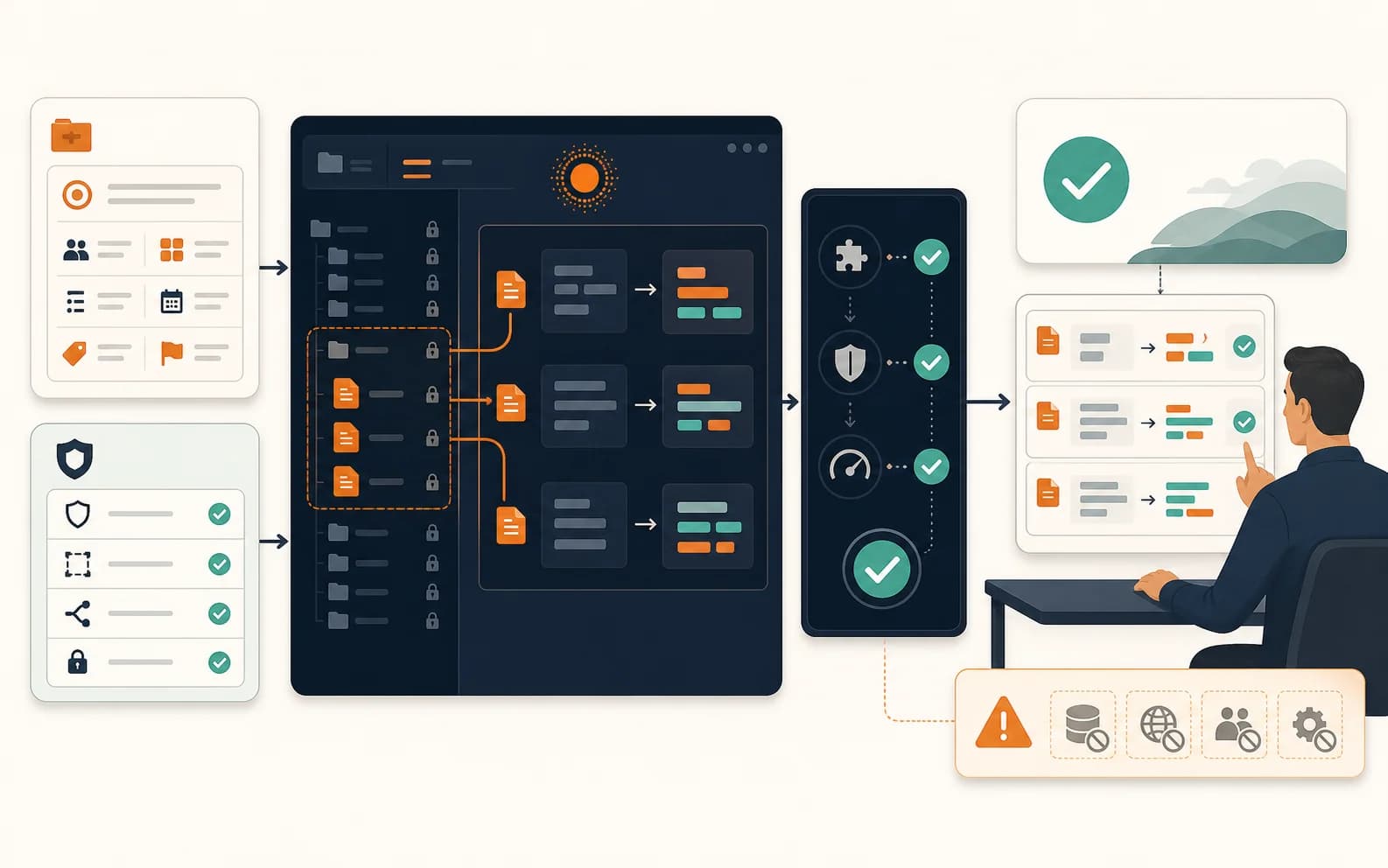
If information conflicts, a Tool fails, confidence is low, or the request is outside the Agent’s job, it stops and shows the responsible person what needs attention.

01

Named approval points

02

Limited Permissions

03

Inspectable activity

04

Exception and recovery paths

Designed for real operations

Useful autonomy inside clear business control.

An Agent should move work forward without pretending it has unlimited authority. We design the control points before connecting it to important systems.

Uncertainty becomes a visible handover—not an invented answer.

If information conflicts, a Tool fails, confidence is low, or the request is outside the Agent’s job, it stops and shows the responsible person what needs attention.

01

Named approval points

Sensitive actions wait for the right person to inspect and approve them.

02

Limited Permissions

The Agent receives only the records, Tools, and actions required for its defined work.

03

Inspectable activity

The team can see what the Agent read, prepared, requested, changed, or could not complete.

04

Exception and recovery paths

Retries, rollback, escalation, and human takeover are part of the system design.

Typical delivery and investment

Choose the smallest level that can prove useful business value.

We recommend starting with a defined workflow, making its behavior visible, and expanding only after the team has operating evidence.

1
Agent Pilot

VND 15–30 million

Typical delivery: 2–3 weeks

Prove one focused workflow

A contained Agent for a well-defined task, limited Tools, clear review points, and real-user testing.

2
Operational Agent

VND 40–80 million

Typical delivery: 4–8 weeks

Put an Agent into daily work

A production-ready Agent with deeper knowledge, multiple connections, controls, monitoring, training, and support.

3
Department System

From VND 100 million

Typical delivery: 8–12+ weeks

Coordinate several related workflows

A broader Agent system serving a department, with more roles, systems, environments, governance, and operating requirements.

These are typical ranges, not fixed quotations or delivery guarantees. Discovery confirms the appropriate scope, timeline, and commercial structure.

Working Agent examples

Inspect how the work, Tools, approvals, and limits fit together.

Until a customer case has publishable evidence, we show working systems and documented demonstrations rather than inventing performance claims.

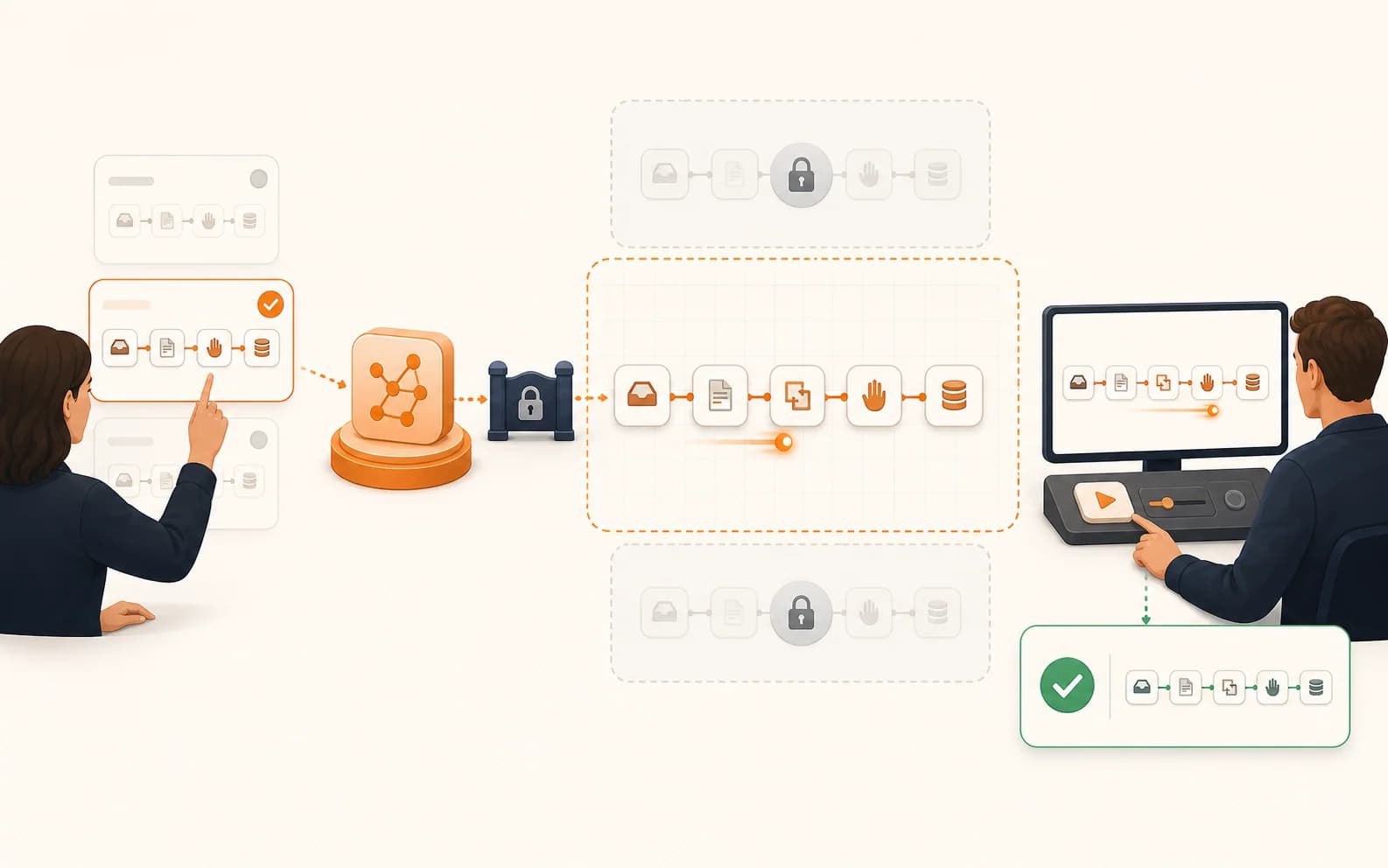
An editor provides a brief and source material, an AI Agent prepares a website page through a locked CMS connection, and a person reviews and publishes the result.

MCP-enabled CMS

Manage website content through an authorized Agent

An Agent can find, prepare, localize, and update website content through CMS Tools while publishing remains within assigned Permissions.

  • The task and relevant content are provided as Context.
  • CMS actions happen through approved MCP Tools.
  • Review and publishing follow the configured access boundary.
See the CMS capability
An operator selects one approved workflow, an AI Agent builds inside its restricted boundary, and a person tests the workflow before approval.

n8n workflow building

Let an Agent build inside an approved n8n workflow

The Agent works only with workflows explicitly enabled through n8n MCP, then helps create, inspect, validate, and test them.

  • The operator controls the MCP connection and available workflows.
  • The Agent builds within that explicit boundary.
  • A person inspects and tests the workflow before normal use.
Inspect the n8n MCP guide
A project brief and repository rules guide an AI coding Agent to change only approved files, run validation, and return passed checks and visible limitations for human review.

Controlled project execution

Turn a structured brief into implemented, validated work

Codex can read project rules, use defined Skills and Tools, change approved files, run checks, and return the result for review.

  • The brief defines the desired business result.
  • Project guidance and Skills define the working procedure.
  • Validation and remaining limitations are returned to a person.
Read how Codex works

These examples demonstrate inspectable behavior and controls. They are not presented as customer case studies, guaranteed savings, or fully autonomous systems.

Bring one real task

Which repetitive, knowledge-based task should your team stop rebuilding from scratch?

Bring one task that involves searching, preparing, comparing, coordinating, or moving information between Tools. We will help you determine whether it is a good Agent opportunity and what a responsible first version should include.

Call: +84 981 690 658
Message us on Facebook
Zalo
Contact us on Zalo
Contact us