Should You Migrate Your Website From WordPress to Next.js? Ask Who Controls It First
Before rebuilding on Next.js, check the three layers of website ownership: legal, operational, and structural. Learn when to stay on WordPress, how an AI Agent can run it for you, the five signs migration is worth it, and a 5-minute self-check.

Should You Migrate Your Website From WordPress to Next.js? Ask Who Controls It First
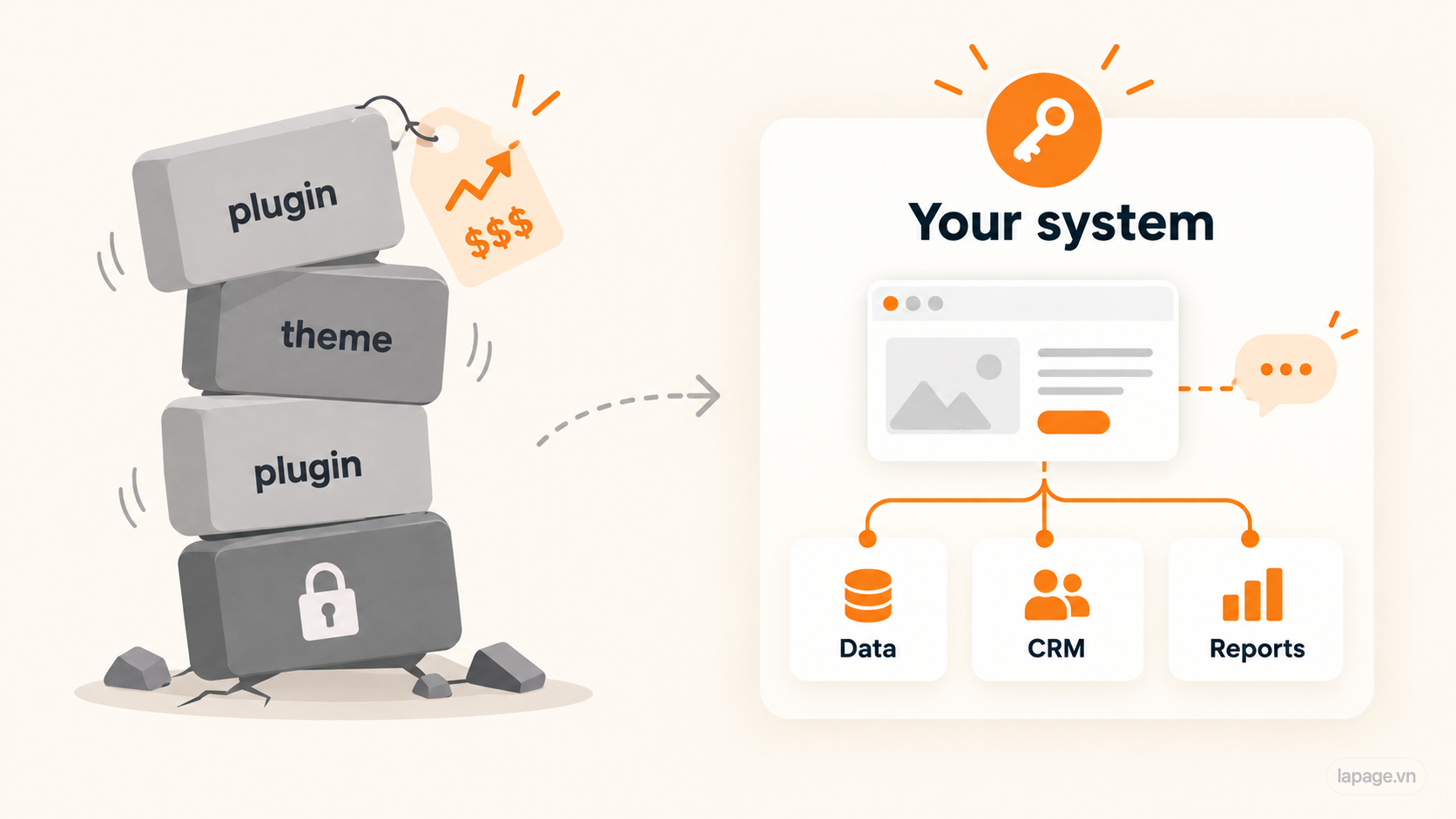
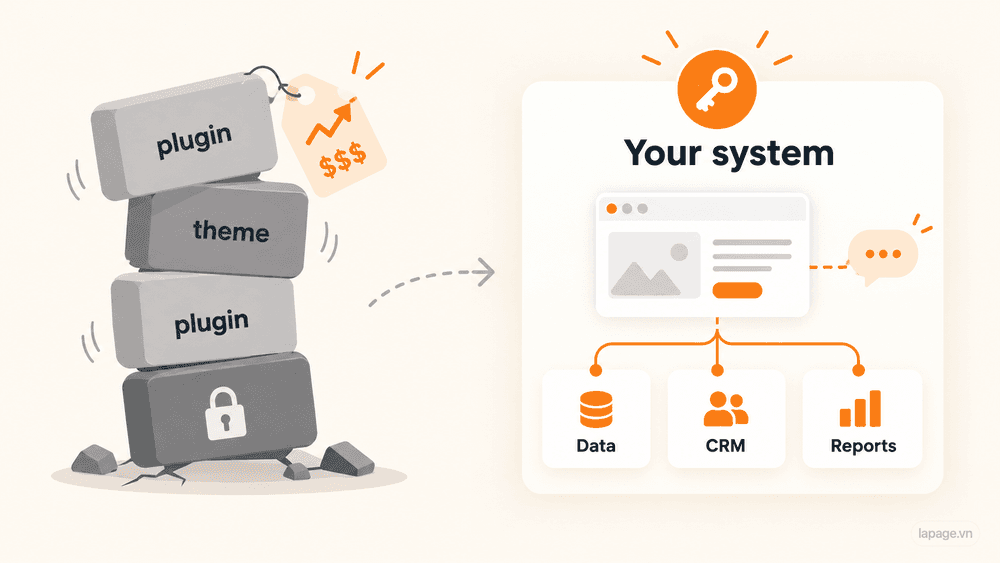
Most business owners who ask us this have already heard the pitch. Next.js is faster, more modern, more secure. WordPress is old, heavy, full of plugins.
Some of that is true. But it is the wrong place to start.
The framework is rarely what is hurting the business. The real issue is usually control: who can change the website, how much each change costs, and whether the site can grow into the systems the business needs next.
A WordPress site you fully control can be a good asset. A Next.js site you cannot change without the agency that built it is still a rented website, just a faster one.
So the better question is:
Do we control our website well enough to keep growing on it?
Three layers of ownership
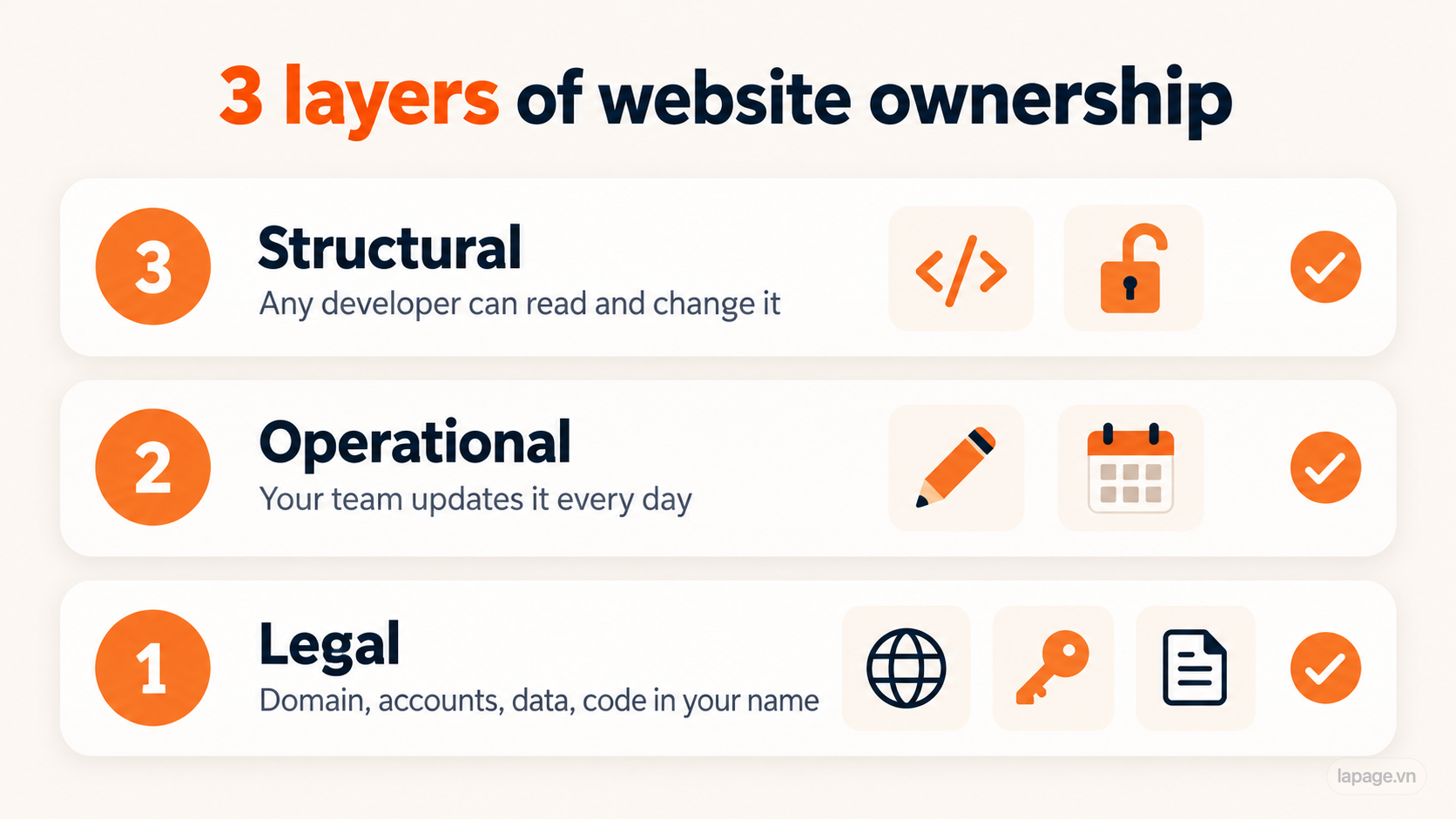
"Owning your website" means more than paying for it. There are three layers, and most businesses only have the first:
- Legal ownership. The domain, hosting, accounts, data, and code are in your company's name.
- Operational ownership. Your team can run the website day to day, publishing, updating, and fixing content, without waiting on a developer.
- Structural ownership. Any competent developer can read and change the system, so you are never locked to one vendor.
This is where the WordPress-or-Next.js debate gets more honest. WordPress often scores well on operational ownership because staff can edit pages themselves. It can score badly on structural ownership when the theme is encrypted, the plugins pile up, or the data is a mess. A Next.js site with a proper content management system can score well on all three. One without a CMS, where every text change needs a developer, scores worse than WordPress on the layer you use every day.
Use the three layers to make the decision. Pick whichever setup gives you all three at the lowest cost.
When you should stay on WordPress
Migration costs money, time, and some risk. Do not pay for it if WordPress is doing its job. Stay where you are if:
- The website mainly presents your company, services, and contact details.
- Your team is comfortable editing content in WordPress.
- You have admin access, the hosting account, and the domain in your own name.
- The theme is readable code you can change, not an encrypted or locked package.
- Plugin updates run without breaking things.
- You have no near-term plans for filters, quotes, CRM, automation, or reporting on the site.
If the site is just slow or messy, fix that first. Remove plugins you do not use, update the core, move to better hosting, compress images. That is cheaper than a rebuild.
Staying on WordPress doesn't mean staying manual
For many businesses, the real pain is not WordPress itself. It is the daily work of logging in, finding the right screen, formatting the post, uploading images, and remembering the SEO fields. That is an operations problem, and you can fix it without changing platforms.
Khải Tuệ Quang runs a content-heavy WordPress site with more than 600 published posts. LaPage hosts the site and runs a private AI Agent that maintains it. The site admin no longer logs in to the WordPress dashboard. She tells the agent in plain language what needs to change. The agent does the work in WordPress, then reports back on what it did.

The agent runs on LaPage's service, set up for that one website only. It answers only to the people the business authorizes and keeps the site's data private. Your team can reach it in two ways:
- Through the LaPage CMS, if you want one place to manage everything.
- Through the AI you already pay for. Add the LaPage skill to ChatGPT, Claude, or Gemini, then ask it to update your website the way you would ask it anything else.
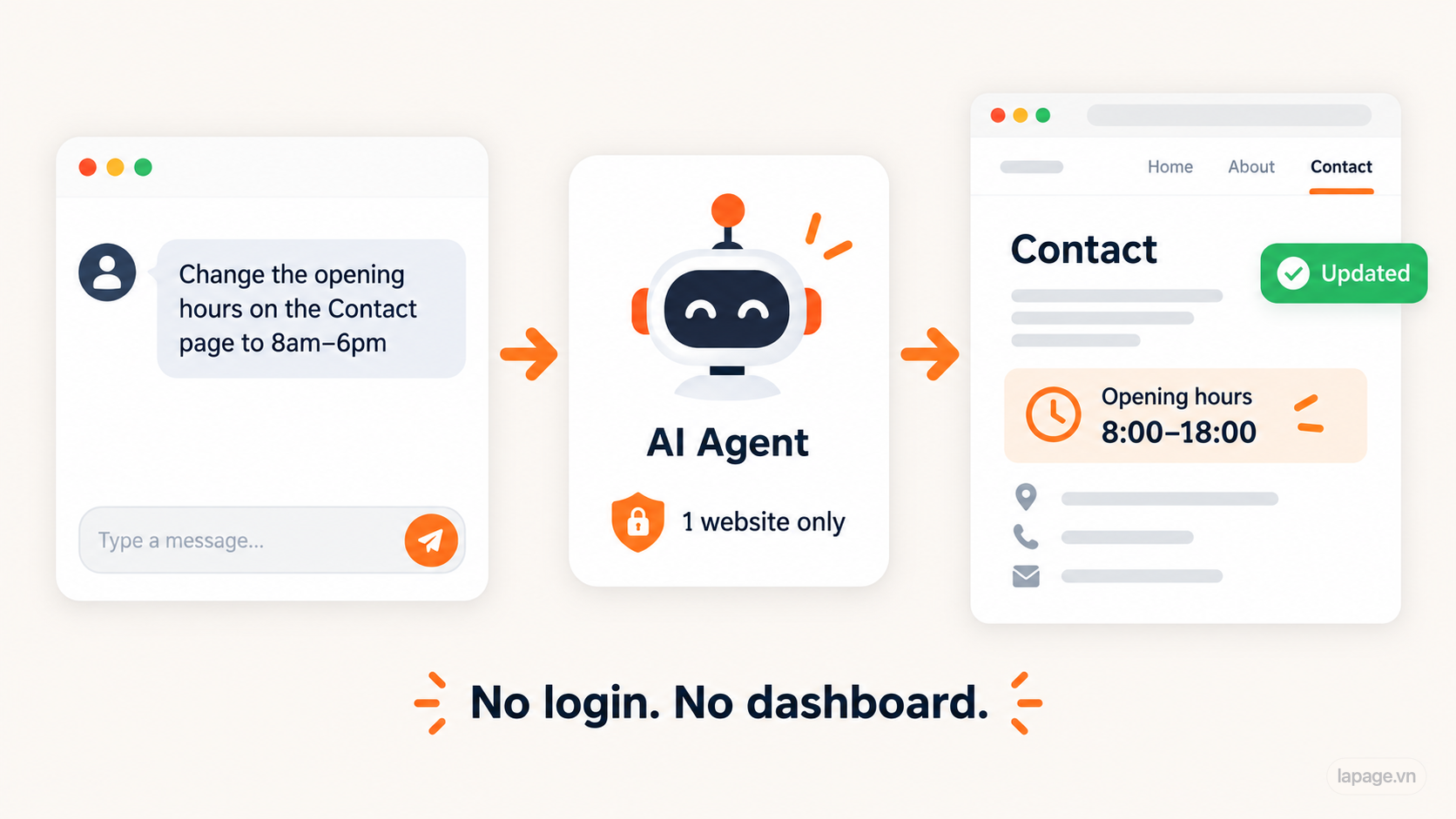
The website stayed on WordPress. Nothing was migrated. What changed is how the business operates it. Updating the site now takes a sentence instead of a login. This strengthens the second layer, operational ownership, without paying for a rebuild.
That is also a useful test. If an AI Agent can run your content through WordPress, the platform is not what is holding you back. If it can't, because the data is unstructured, the theme is locked, or every change needs a workaround, the problem is structural, and migration is worth scoping.
Five signs it is time to move
1. You cannot read or change your own website
Some themes encrypt their core logic, for example with ionCube. The site works, but nobody on your side can see how it works. When something breaks in an edge case, your developer has to write around code they cannot open.
The same applies when only a former agency holds admin access, or the theme licence belongs to someone else. You use the website. You do not control it.
2. Small changes keep getting expensive
A good sign of a healthy system: small requests stay small.
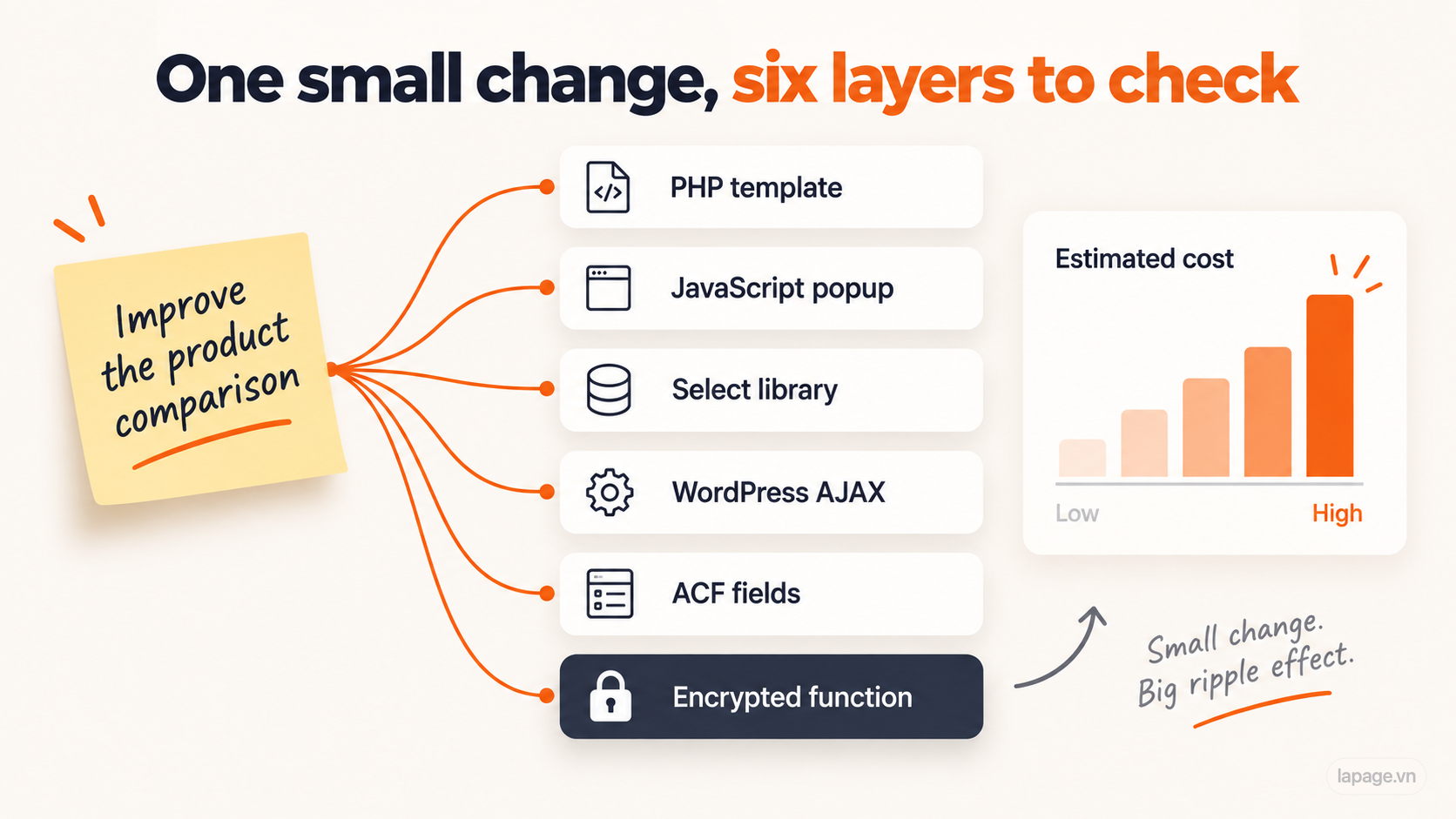
On many older WordPress builds, one change touches a PHP template, some jQuery, a WordPress AJAX call, custom fields in ACF, and a plugin. Each request needs more checking than the last. If the quotes for "small" changes keep going up, the cost is not the developer. It is the structure.
3. Your data needs to work, not just display
WordPress is very good at showing pages. It gets harder when product data has to be filtered, compared, calculated, or reused in quotes and reports.
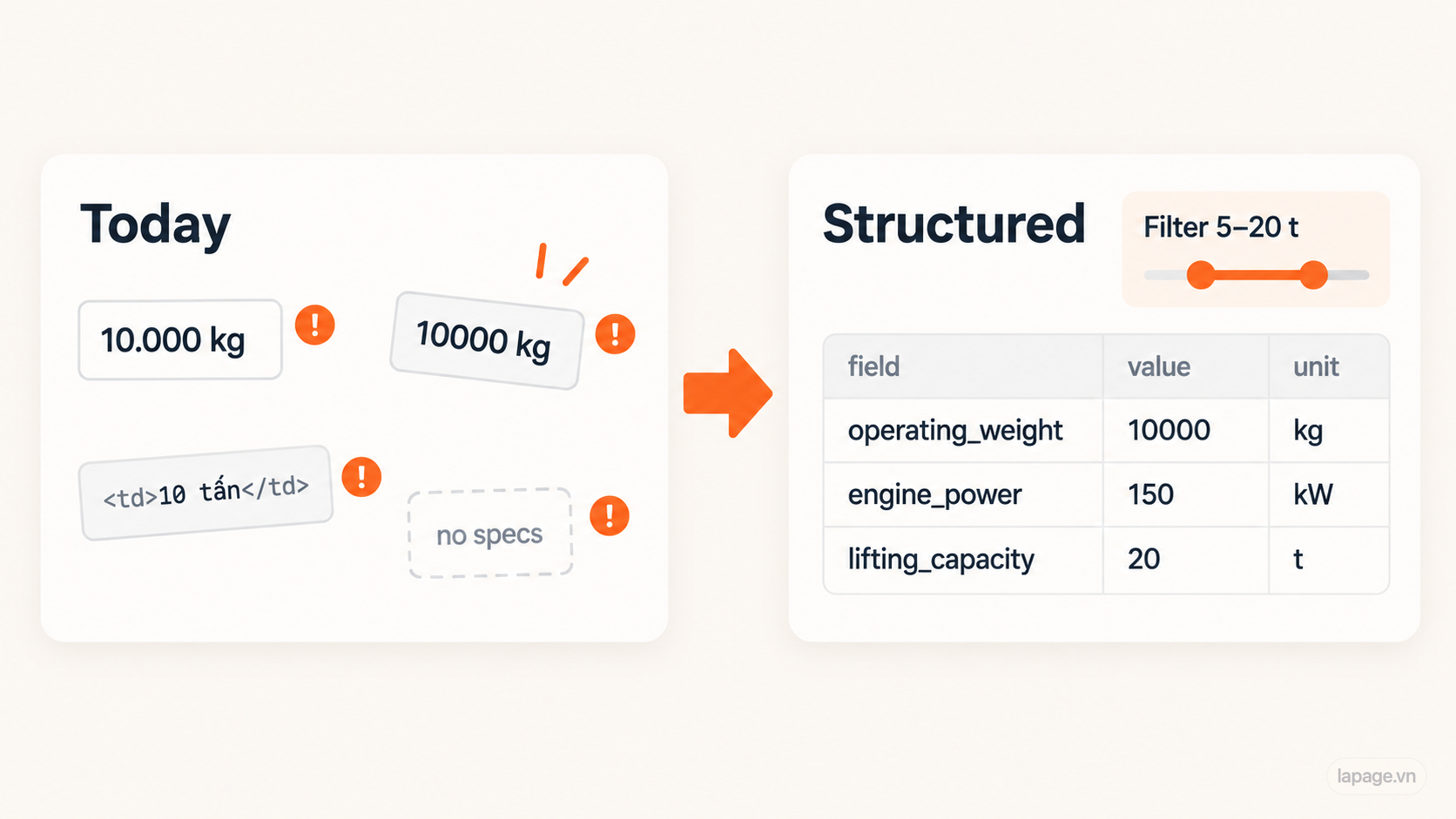
If your specifications live inside HTML tables, a filter like "lifting capacity from 5 to 20 tons" cannot work reliably. The data has to be structured first: a stable field name, a number, a unit.
4. The plugin stack has become the risk
Every plugin is a dependency with its own update schedule and security record. Ten plugins means ten parties who can change your site's behaviour on their timeline. If your team avoids updates because "last time something broke", the website is already holding you back.
5. The website needs to connect to the rest of the business
The next steps for many businesses are a CRM, follow-up automation, an AI assistant, or a dashboard. These need clean data and clear integration points. A site built as a pile of templates and plugins can do it, but each connection becomes a custom workaround.
A real example
We recently audited a WordPress/WooCommerce site for an industrial equipment distributor. It was built with care: clear folders, bilingual content, a product comparison tool, and a sensible product hierarchy. The previous team had done real work.
The limits showed up when the business wanted to grow it:
- Part of the theme's core logic was encrypted, so it could be called but not read or fixed.
- Of 493 published products, about 284 stored specifications as HTML tables, about 88 as structured rows, and 98 had no detailed specifications at all. The same value could appear as
10.000 kg,10000 kg, or inside a block of HTML. - Improving the comparison tool meant checking a PHP template, popup JavaScript, a select library, WordPress AJAX, ACF fields, and an encrypted function.
- Running the site required a specific PHP version plus the ionCube loader, which made every server upgrade a compatibility test.
Our conclusion in the report was not "WordPress is bad". It was: the problem is not WordPress. The problem is that the business does not fully own and control the layer its customers use. The site could keep running and take small fixes. But advanced filters, quote PDFs, and CRM connections would each cost more on the old base than on a rebuilt one with structured data.
That is when migration makes sense: when the cost of staying keeps rising and the business has a clear next step that the current setup blocks.
What migration actually involves
If you do move, know what you are buying. Next.js is a way to build the website. It is not a content editor on its own. A sound migration includes:
- A content management system your team can use, so you are not calling a developer for every text change.
- Content and data transfer, ideally cleaned and structured on the way, not copied as-is.
- SEO protection: the same or redirected URLs, metadata, sitemap, and a check in Google Search Console after launch.
- Staging and acceptance: you review the new site before it replaces the old one.
- Clear ownership: domain, hosting access, analytics accounts, and source code in your name or handed over to you.
If a proposal does not cover these, you are not migrating. You are swapping one dependency for another.
A 5-minute self-check
Answer yes or no:
- Is the domain registered in your company's name?
- Do you have admin access to the website and the hosting?
- Could another developer read and change all of the website's code?
- Do small content or layout changes cost about the same as they did a year ago?
- Is your product or service data structured enough to filter, compare, or export?
- Can you update WordPress and plugins without fear?
- Could the site connect to a CRM or automation tool without a workaround?
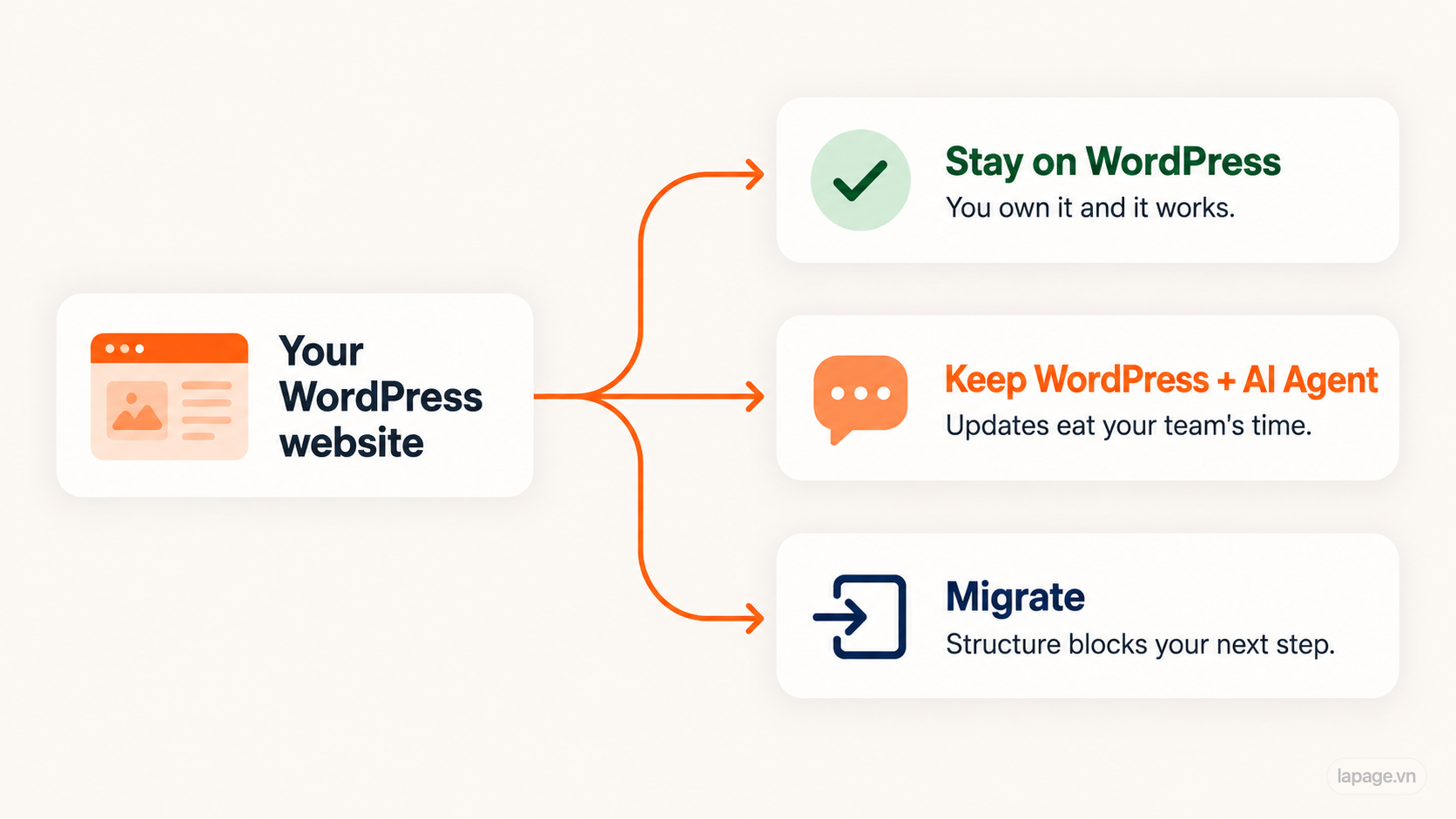
Mostly yes: stay on WordPress. If day-to-day updates eat your team's time, add an AI Agent to run them instead of rebuilding.
No on 1–3: fix legal ownership first. That matters more than the framework.
No on 4–7: you have a structural problem. A migration is likely worth scoping.
How LaPage approaches it
We build new websites on Next.js with a content management system. We will still tell you to stay on WordPress when it is the better choice for your business. There are two paths:
- Keep WordPress, change how you run it. We connect an AI Agent to your existing site so your team updates it by describing the change, not by working through the dashboard.
- Move when the structure is the problem.
When migration is right, standard migration is included free in our Company Website and Ecommerce Website builds. We keep your useful content and protect your Google rankings, and you own the result: domain, content, data, and accounts. If you ever move away from LaPage, we hand over the full source code.
Not sure which side you are on? Send us your website and we will do a free ownership audit: who controls what, what it costs to change, and whether migrating is worth it.
Own your systems.
Huy Lan
Founder of LaPage Digital, a Vietnam-based digital infrastructure and automation company founded in 2018. Huy Lan is a former Data Engineer at Publicis, where he managed data infrastructure for clients across the APMEA region. He focuses on helping businesses build reliable systems, own their data, and automate operations with practical, maintainable technology.
Stay Updated
Subscribe to our newsletter to receive technical insights and updates on best practices for web development and hosting infrastructure.