
Company Website
AI, a freelancer or LaPage: which way should you build your business website?
Nov 25, 2026 · 7 min read
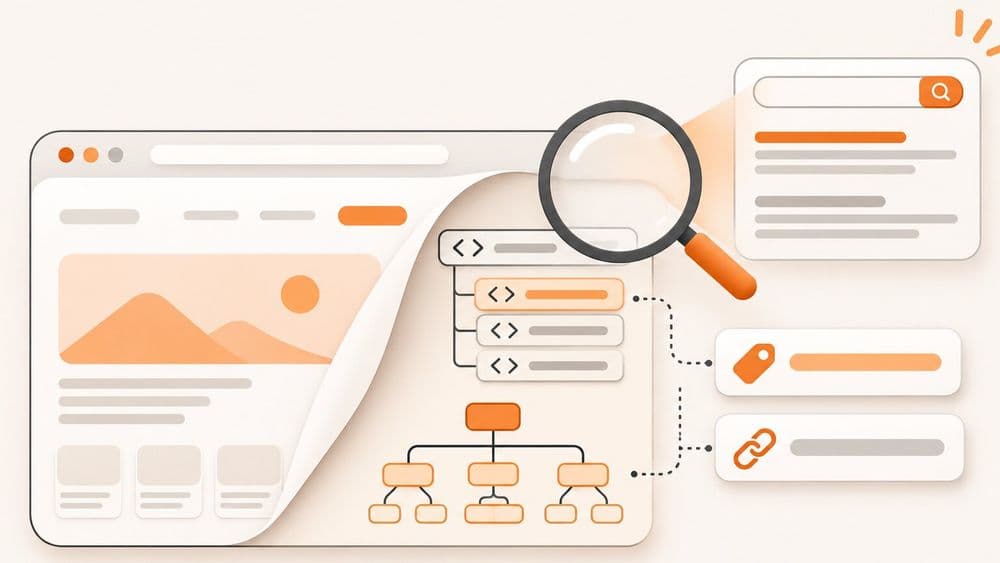
Why a good-looking website can still be invisible to Google, what technical SEO covers on a LaPage site, and how to check your own site in about ten minutes.
You open your website on your phone. The photos look sharp, the menu works, the contact button is where it should be. As far as you can tell, the site is done.
Then a friend tells you they searched for your business name and your service, and your website did not come up. Or it did, but the page Google showed was an old URL, or a test copy someone forgot to hide, or the English page when they searched in Vietnamese.
This is the gap between how an owner sees a website and how Google sees it. You judge it by how it looks. A search engine has to do three things before your content can compete at all: find the page, read it without running a pile of scripts, and understand what it is about and which version to show. That groundwork is what people mean by technical SEO.
When the groundwork is missing, nothing looks broken. The problems show up somewhere else:
None of this is visible when you open the site in a browser. So the problem stays hidden until someone asks why the website brings in so few enquiries.
It is worth being clear about what technical SEO is not. It is not a trick, and it is not a ranking guarantee. Where you rank depends on your content, your competitors and how useful people find your pages. Technical SEO removes the reasons Google might ignore you before any of that is weighed.
On a LaPage website, these items are part of the codebase every site is built on. They are on every page from day one, rather than added by hand later by whoever remembers.
The full text of each page is rendered on the server and sent in the HTML, so search engines and AI crawlers can read it without depending on scripts. Every page gets its own title and description, written for that page, plus a canonical URL so Google knows which address is the real one.
When a URL changes, a redirect is set so links and rankings from the old address carry over instead of ending at a 404. Previews and staging copies are marked noindex, so a test version of your site never competes with the real one.
An XML sitemap lists every public page, including each blog post, and it rebuilds every hour, so new posts appear on their own. That is the core of how new posts get indexed automatically. At launch we set up Search Console and submit the sitemap, so you can see how Google treats the site. There is also an llms.txt index listing every page in each language, which gives AI tools a clean table of contents.
Every page carries structured data that describes your organisation, the page itself and, for articles, the author and dates. Ecommerce sites add product schema.
If your site has more than one language, the setup covers that too: hreflang tags with an x-default, a canonical URL per language, sitemap entries with their language alternates, and image alt text in each language. We explain why each of those matters in the post on multi-language SEO.
Images are served as WebP and pages are cached, so the site stays quick on a phone connection.
We check all of this in the code and in the live HTML before handover. After launch, the monthly report shows how the site is doing in search.
Different ways of getting a website handle this very differently, and each can fit a certain stage of a business.
An AI website builder gets you a good-looking page fast. Technical SEO then depends on the platform's defaults: some handle the basics, few handle multiple languages properly, and the site usually lives on the platform's hosting under its rules. A freelancer may set up titles and a sitemap plugin, but hreflang, structured data and redirects are often skipped unless you ask, and you may not know to ask. A template theme often ships its own SEO settings, which are only as good as the person who configures them, and an update can quietly reset them. There is a fuller side-by-side in LaPage vs a freelancer vs an AI builder.
All of these can work. The useful question to ask anyone, including us, is not "do you do SEO?" but "which of these items will be on every page, and how can I check?"
You do not need special tools for most of this. A browser is enough.
site:yourdomain.com on Google and count the results. If important pages are missing, or you see test or old pages, something is wrong.yourdomain.com/sitemap.xml. It should load and list your real pages, including recent posts.canonical and hreflang. Each page should have one canonical URL. A two-language site should list both languages and an x-default.application/ld+json. That is structured data. No result means Google is guessing what the page is.Each of these checks maps to one of the items above, so a failed check tells you exactly what to ask your developer about.
No. Nobody can honestly guarantee Google rankings. Technical SEO makes sure Google can find, read and understand your pages, so your content gets a fair chance. Content, competition and reviews decide the rest.
The foundation is built once, but it has to stay correct as you add pages, change URLs or add a language. On a LaPage website the sitemap and llms.txt rebuild every hour, and redirects are added when URLs change, as part of the yearly care.
We map your old URLs to the new ones and set redirects, so links and rankings carry over as far as possible. Standard migration of your existing content is included for free.
It helps AI tools read and understand your site: server-rendered text, structured data and an llms.txt index all make that easier. No one can promise that an AI will recommend your business.
If you would rather not dig through page source yourself, send us your website. We will run these checks as part of a short audit with your free demo and tell you plainly what we find.
LaPage Digital publishes systems-focused writing on architecture, automation, infrastructure, and operational delivery.


Subscribe to our newsletter to receive technical insights and updates on best practices for web development and hosting infrastructure.