Company Website
AI, a freelancer or LaPage: which way should you build your business website?
Nov 25, 2026 · 7 min read
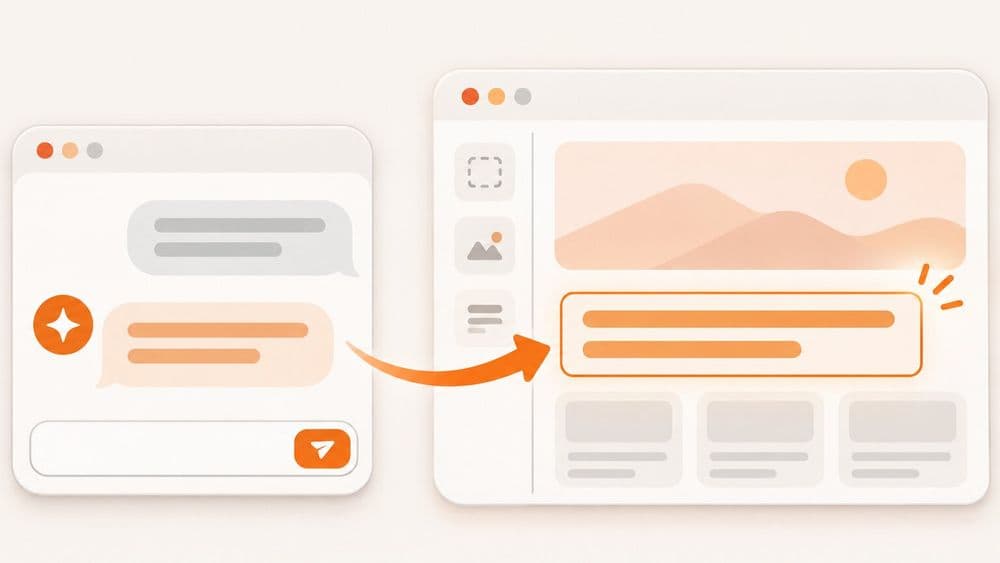
With the free LaPage Website CMS skill, your own ChatGPT or Claude can draft, translate and fix pages on your site, working on drafts and leaving every change in the activity log.
Many owners already open ChatGPT or Claude every morning. It writes the product descriptions, plans the year-end promotion and tidies up the English for a foreign buyer. Then the slow part begins: copy the result, log in to the website, find the right page, paste, fix the formatting that broke on the way, upload the images one by one. Or, more often, skip it and promise to do it at the weekend.
The cost shows up in small ways. The blog stops after three posts because each one takes an evening to put online. The English pages fall months behind the Vietnamese ones, so a company selling abroad shows foreign buyers old prices and missing products. A Shopee seller adds new products every week, but the website still shows last season's range. A new phone number or a holiday notice waits for someone to have a free hour.
AI can already write the content. What has been missing is a safe way for it to put that content on your website, in the right place and the right language, without breaking anything.
Every LaPage website runs on the LaPage Website CMS, and every site comes with a free LaPage Website CMS skill for your AI assistant. A skill is a set of instructions and tools an AI assistant installs so it knows how to work with a particular system correctly. In this case, it teaches your AI how to read and edit your site's content the way your team would.
We help you connect it at handover, with a site token made for your AI assistant. In short, you give your AI the skill and your site's access key from the CMS, and from then on you ask in plain language. The skill is free on GitHub, and the steps are in our help guide, Connect an AI agent to your CMS.
It works with AI assistants that can run code and reach the internet, such as Claude Code, Codex, Claude.ai or ChatGPT in a mode that runs code. A chat-only assistant can still write the content for you to paste into the CMS yourself.
The requests look like the messages you would send a colleague:
Behind those requests, the AI can draft, edit and translate posts, upload images with alt text, manage categories and tags, and update menus and redirects. That matters most on a multilingual site, where the second language is the one that tends to fall behind.
Letting an AI touch your website sounds risky, so the limits matter as much as the features.
Drafts come first. The skill tells the AI to create and edit drafts, send you a preview link, and publish only when you name the post and the language.
The key opens one site only. The access key works on your website and nothing else. It cannot add team members, change the website address or delete the site.
Every change is signed. The activity log and the post's revisions show which AI made each change, and any earlier version can be restored. Deleted posts and images go to the trash for 30 days, where someone on your team can restore them.
The other language stays intact. Editing the English version never overwrites the Vietnamese one.
Your team can still use the CMS directly, side by side with the AI. And because the domain and content are in your name, the work the AI does stays on a site you own, not inside someone else's tool.
An AI website builder lets you regenerate pages from a prompt inside its own tool. It is quick, but the AI is the builder's, the site lives on its platform, and a change can rewrite more than you asked for. A freelancer's site can be updated by AI only if you copy and paste, or if they set up a custom connection for you. Some content systems offer AI writing inside the editor, usually from their own AI and sometimes on a paid plan.
With a LaPage website, you use the ChatGPT or Claude you already pay for and already know, through a skill that is free.
Whoever built your site, these checks show how ready it is for AI help:
You need an AI assistant that can run code and reach the internet. On most services that is a paid plan or a specific mode. The LaPage Website CMS skill itself is free.
The skill tells the AI to work on drafts and publish only when you clearly ask. Every change is in the activity log and the revisions, and an earlier version can be restored.
The key works only on your website's content and cannot manage people, settings like the website address, or other sites. Treat it like a password. If it leaks, an admin on your team can replace it in the CMS settings.
No. The languages a site supports are set in its code. The AI can translate content into the languages your site already has. Adding a language is a quoted add-on.
If you would like to see it working on your own content, ask us for a free demo and we will show you.
LaPage Digital publishes systems-focused writing on architecture, automation, infrastructure, and operational delivery.

Subscribe to our newsletter to receive technical insights and updates on best practices for web development and hosting infrastructure.