Update prices, sales and stock
Change a price, set a sale price, hide the price so customers contact you, and manage stock.
Updated October 9, 2026
Open the product in Generic.Products, edit the fields below, then click Publish.
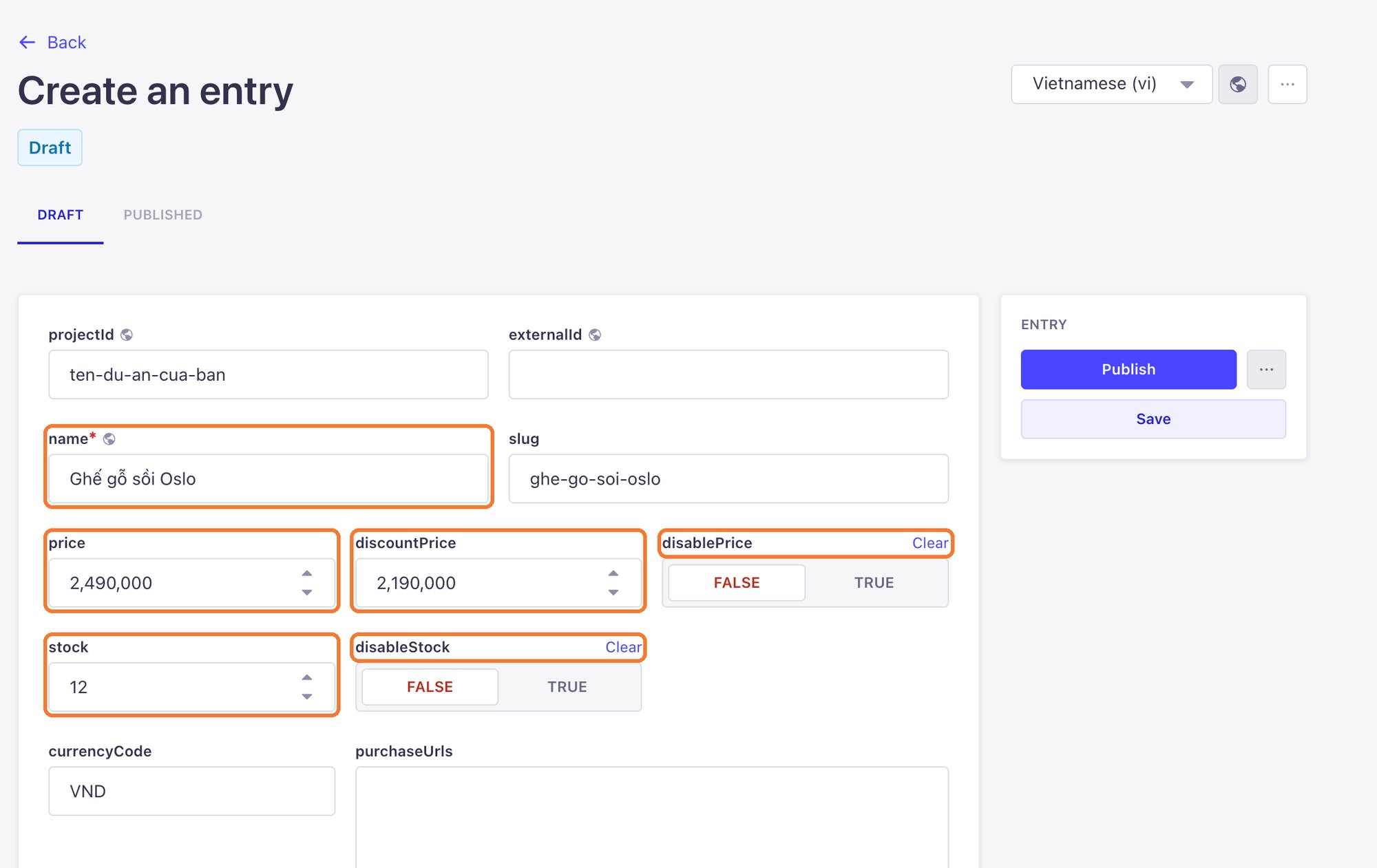
| Field | Meaning |
|---|---|
| price | The regular price. Type digits only: 2490000 |
| discountPrice | The sale price. Leave empty when there is no sale |
| disablePrice | Choose TRUE to hide the price; customers see a contact button instead |
| stock | How many are in stock |
| disableStock | Choose TRUE if you do not track stock for this product |
| currencyCode | The currency, usually VND |
Run a sale
Set discountPrice lower than price and click Publish. When the sale ends, clear discountPrice and click Publish again.
How crossed-out prices, "Out of stock" labels or contact buttons look depends on your website's design.
Still need help
Can't find the answer?
Message LaPage on Zalo with what you are trying to do and a screenshot if you have one. We will walk you through it step by step.