Change your password
Change your CMS login password from your profile page.
Updated October 9, 2026
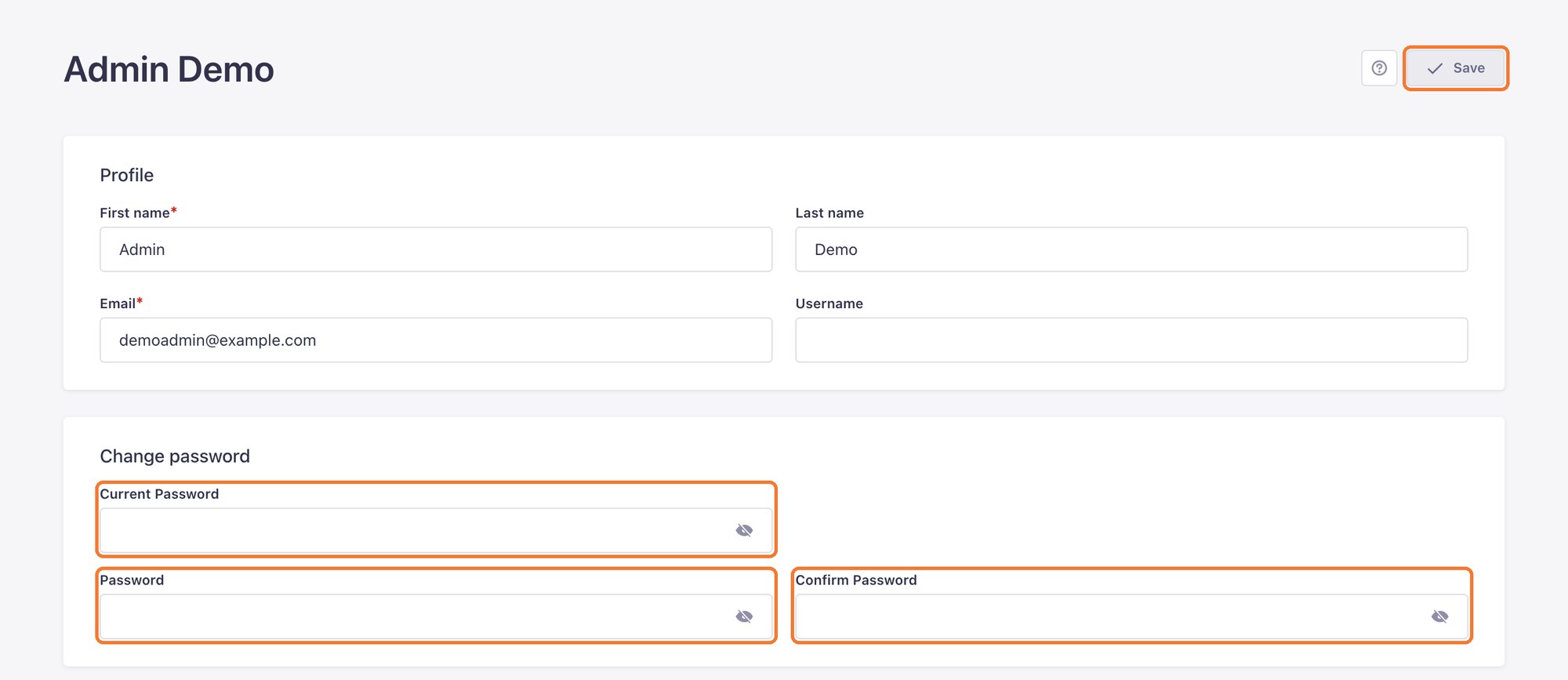
- Click your initials in the bottom left corner and choose Profile.
- Under Change password, fill in Current Password, the new Password, and Confirm Password.
- Click Save in the top right corner.
A safe password
- At least 12 characters, with capitals, lowercase letters and numbers.
- Not shared with your email or bank accounts.
- One account per person. Need an account for a team member? Message LaPage.
Still need help
Can't find the answer?
Message LaPage on Zalo with what you are trying to do and a screenshot if you have one. We will walk you through it step by step.