Edit, unpublish or delete a post
Edit a live post, take it off the website without losing it, or delete it for good.
Updated October 9, 2026
Edit a live post
- Go to Generic.Posts and open the post.
- Make your changes.
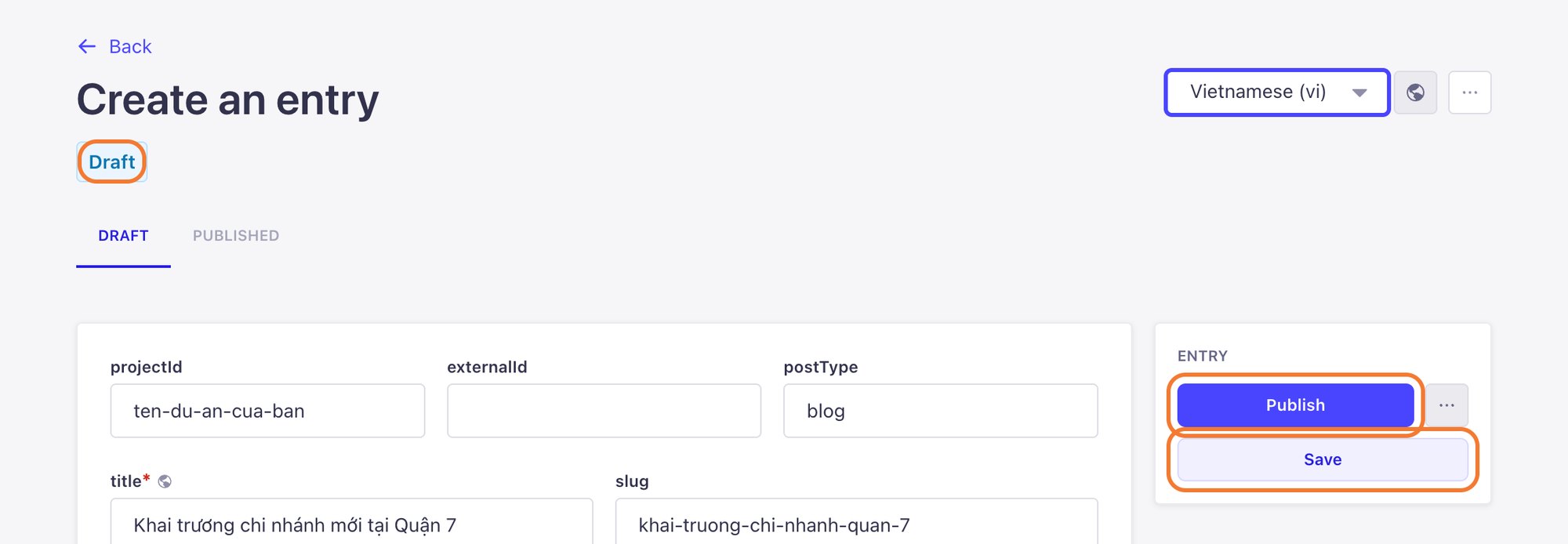
- Click Publish again. If you only click Save, the change is stored but the website keeps showing the old version.
A post with unpublished changes shows as Modified in the list. If you see it, you still need to click Publish.
Take a post off the website
Click the ··· button next to Publish and choose Unpublish. The post disappears from the website but stays in the CMS as a draft, ready to publish again any time.
Delete a post
In the same ··· menu, choose Delete entry. Deleted posts cannot be recovered, so Unpublish first if you are not sure.
Still need help
Can't find the answer?
Message LaPage on Zalo with what you are trying to do and a screenshot if you have one. We will walk you through it step by step.