Create and assign post categories
Create categories such as News or Offers, then assign them so your website groups posts correctly.
Updated October 9, 2026
Create a category
- Go to Content Manager → Generic.PostCategories and click Create new entry.
- Fill in name (shown on the website) and slug (lowercase with hyphens, for example
news). - Scroll to the bottom and fill in projectId and postType to match the posts that will use it.
- Click Publish.
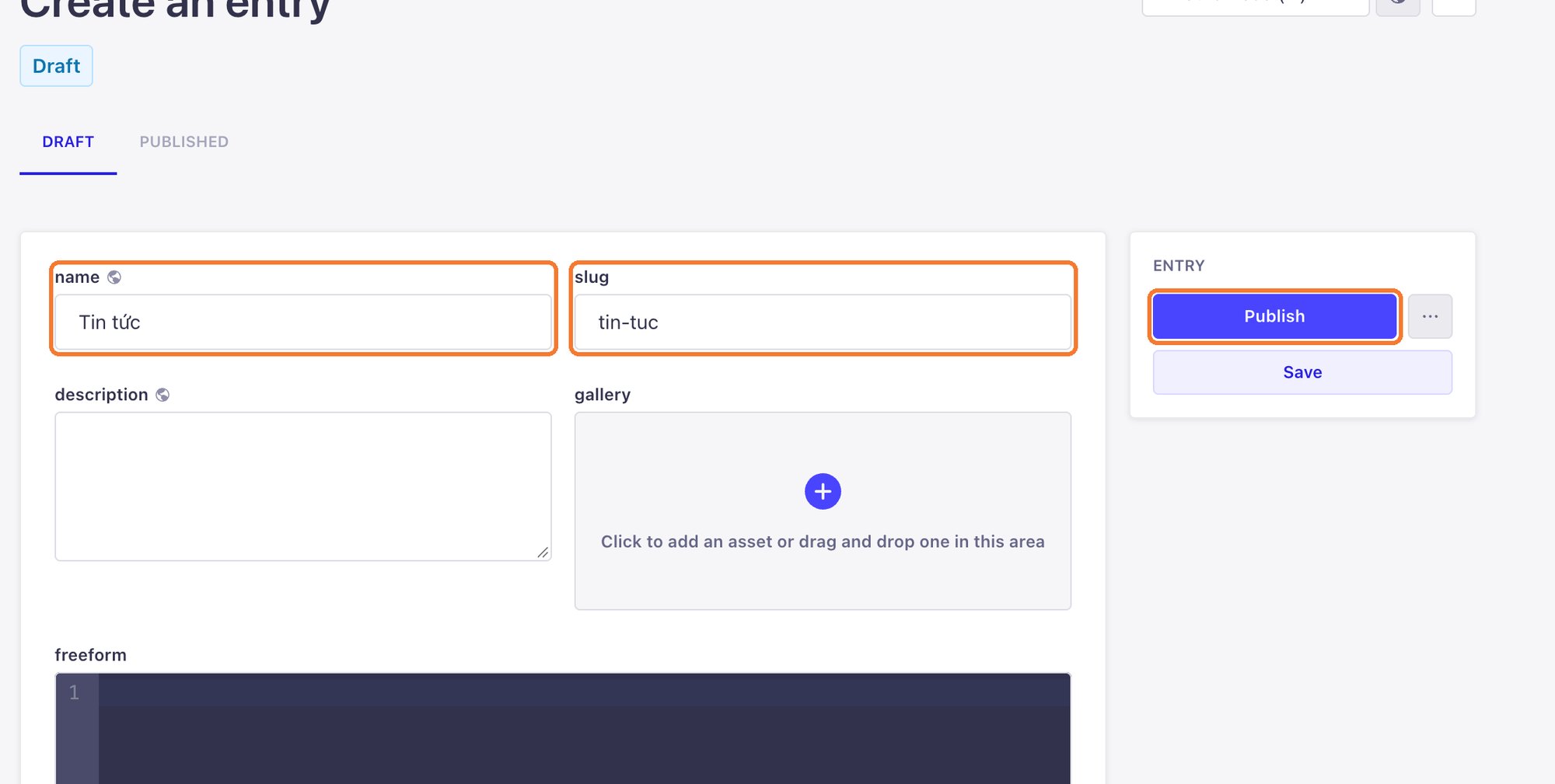
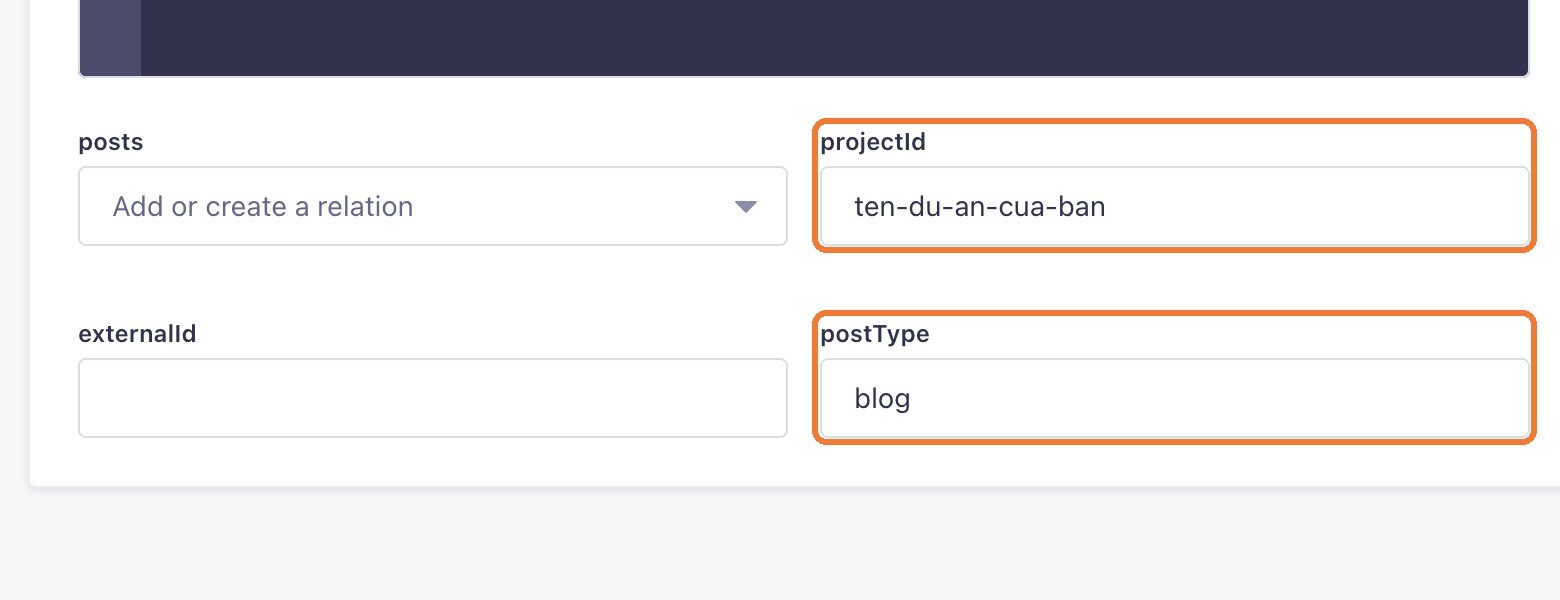
Categories must be published too. A draft category does not appear on the website.
Assign a category to a post
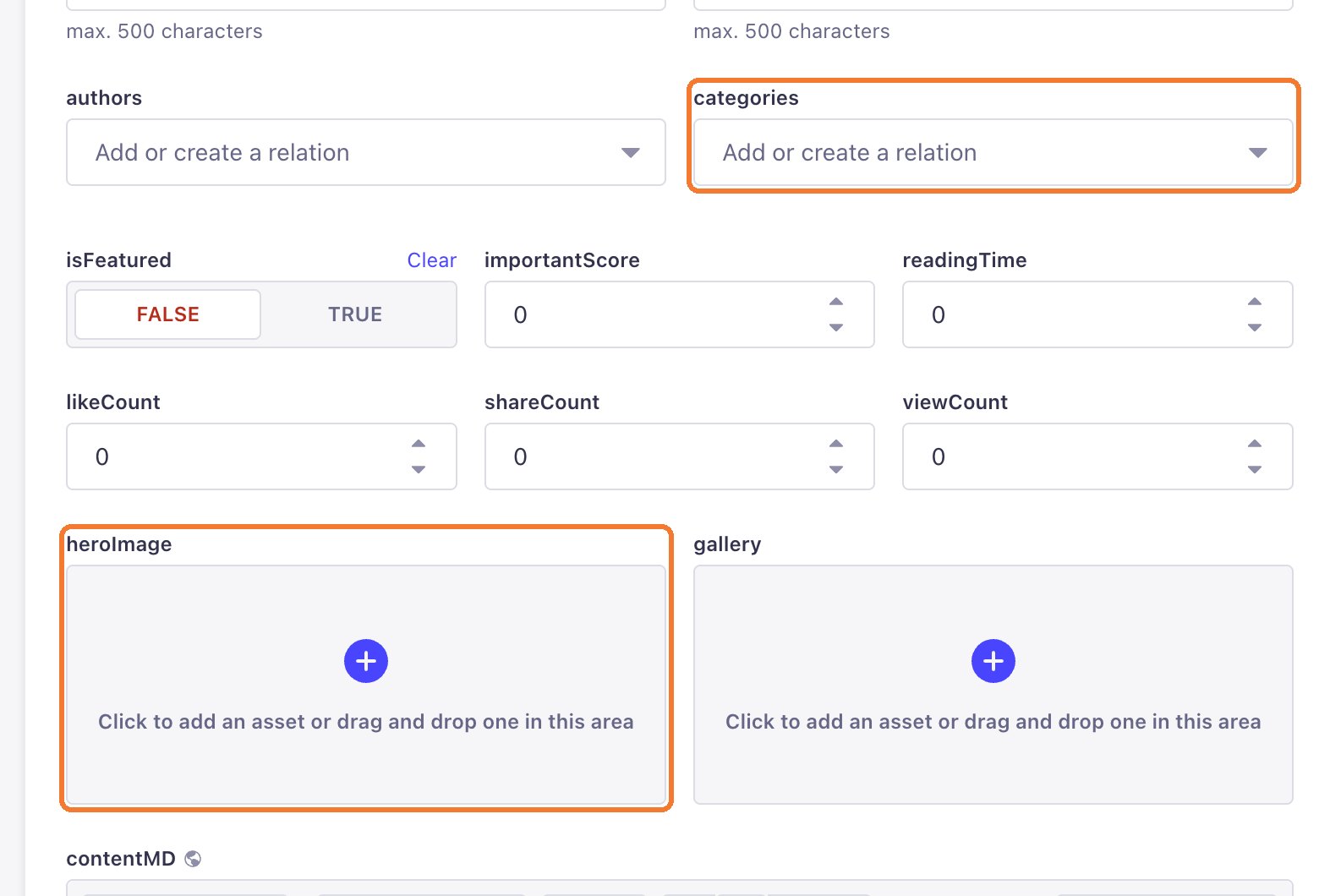
Open the post, click categories and choose the category. Then click Publish to update the post.
Still need help
Can't find the answer?
Message LaPage on Zalo with what you are trying to do and a screenshot if you have one. We will walk you through it step by step.