Add a second language version of a post
Each post can have a Vietnamese and an English version. Create the other version from inside the post.
Updated October 9, 2026
If your website has two languages, each post has one version per language. The versions are linked, so visitors who switch language see the matching post.
Steps
- Open the post you already created.
- Click the language box in the top right corner and choose Create English (en) locale (or the other language you need).
- Fill in the title, content and description in that language. You can keep the same slug or use a translated one.
- Click Publish. Each language version is published separately.
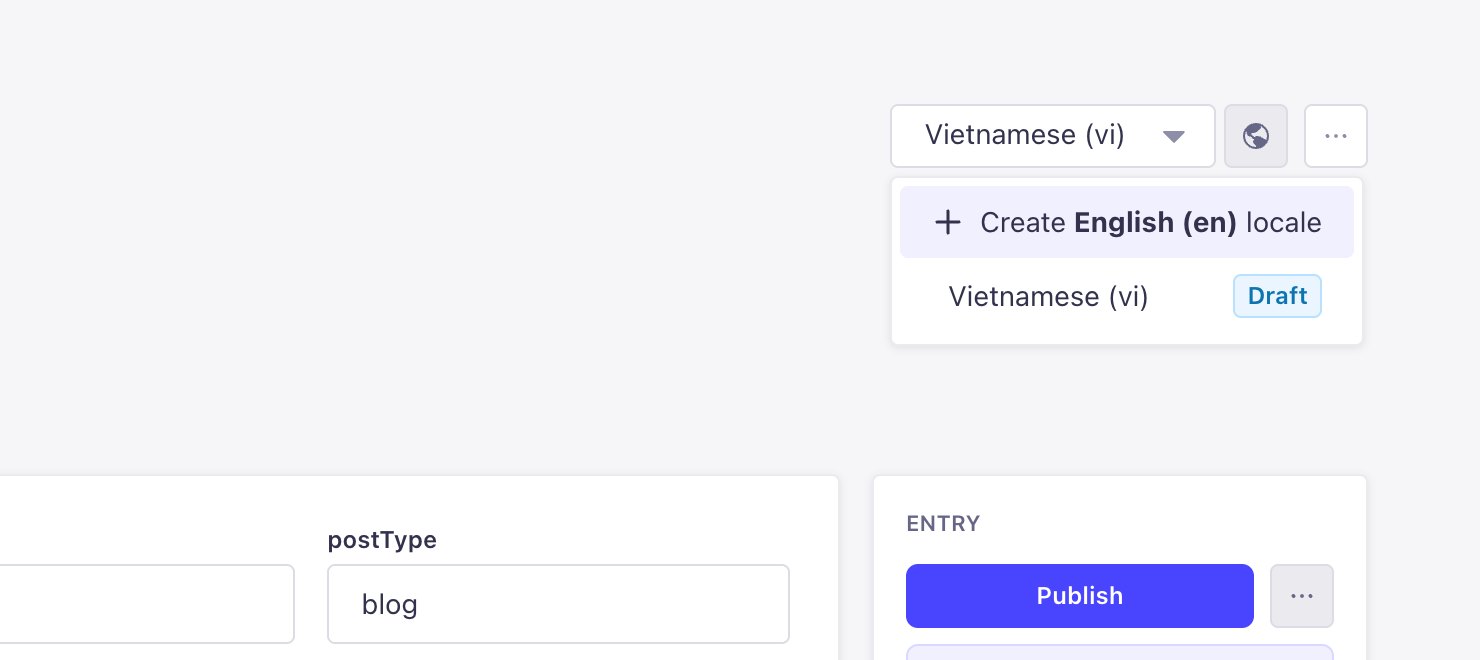
Which fields are shared
Fields with a globe icon next to their name (such as title, excerpt and contentMD) are separate for each language. Fields without it are shared by both versions.
If your website has only one language, skip this step.
Still need help
Can't find the answer?
Message LaPage on Zalo with what you are trying to do and a screenshot if you have one. We will walk you through it step by step.