The two fields your content needs to appear on the website
projectId and postType decide which website a post belongs to and where it shows. Get them wrong and the post will not appear.
Updated October 9, 2026
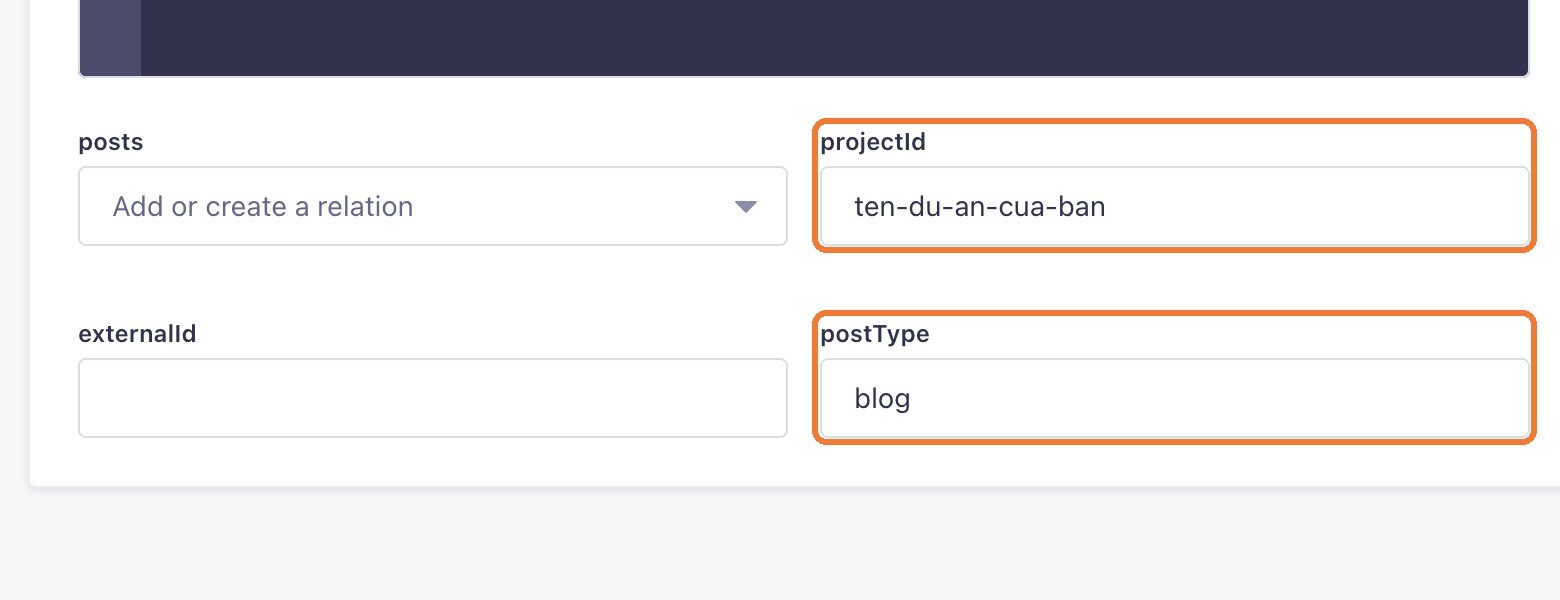
One LaPage CMS can serve several websites, so every post, category or product needs to say which website and which type of content it belongs to. Both fields sit at the top of the form.
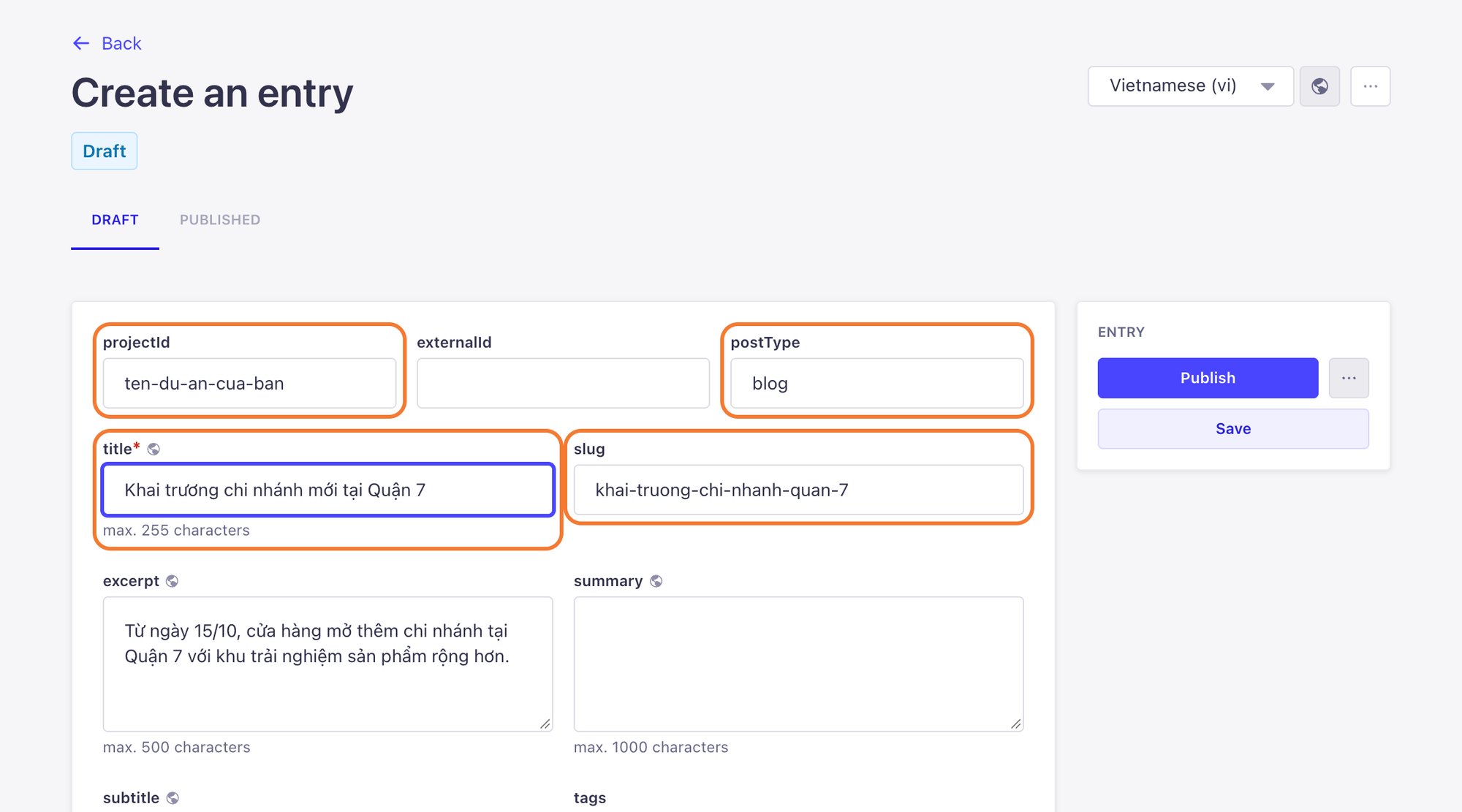
projectId: your website's code
- The project code from your handover document, for example
company-name. - It must match exactly: no accents, no capitals, no extra spaces.
- Fill it in on everything you create: posts, post categories, products and product categories.
postType: the type of content
- Decides where a post appears on your website, for example
blogfor news orprojectfor the projects page. - The CMS fills in
blogfor you. Change it only for posts that belong somewhere else. Your website's post types are listed in your handover document. - Post categories also have a postType field at the bottom of the form. Use the same value as the posts that will use that category.
Avoid mistakes
- Open an older post that already shows correctly and copy its projectId and postType.
- Cannot find your project code? Message LaPage on Zalo and we will send it again.
Still need help
Can't find the answer?
Message LaPage on Zalo with what you are trying to do and a screenshot if you have one. We will walk you through it step by step.