My post is published but not showing on the website
Check these six things before messaging LaPage. Most cases take a minute to fix.
Updated October 9, 2026
-
Did you click Publish? Save only stores a draft. The status must be Published, not Draft or Modified.
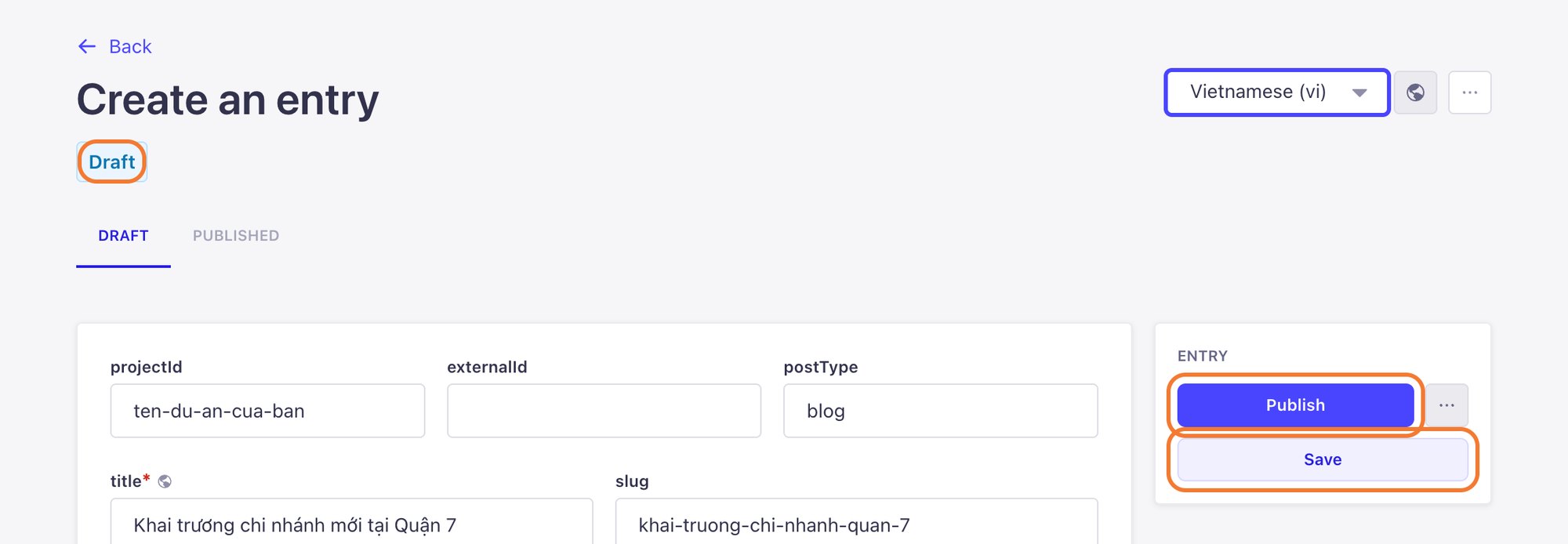
-
Is the projectId exactly right? Compare it with an older post that shows correctly. One extra space or capital letter stops the post from appearing.
-
Is the postType right? News posts are usually
blog. See The two required fields.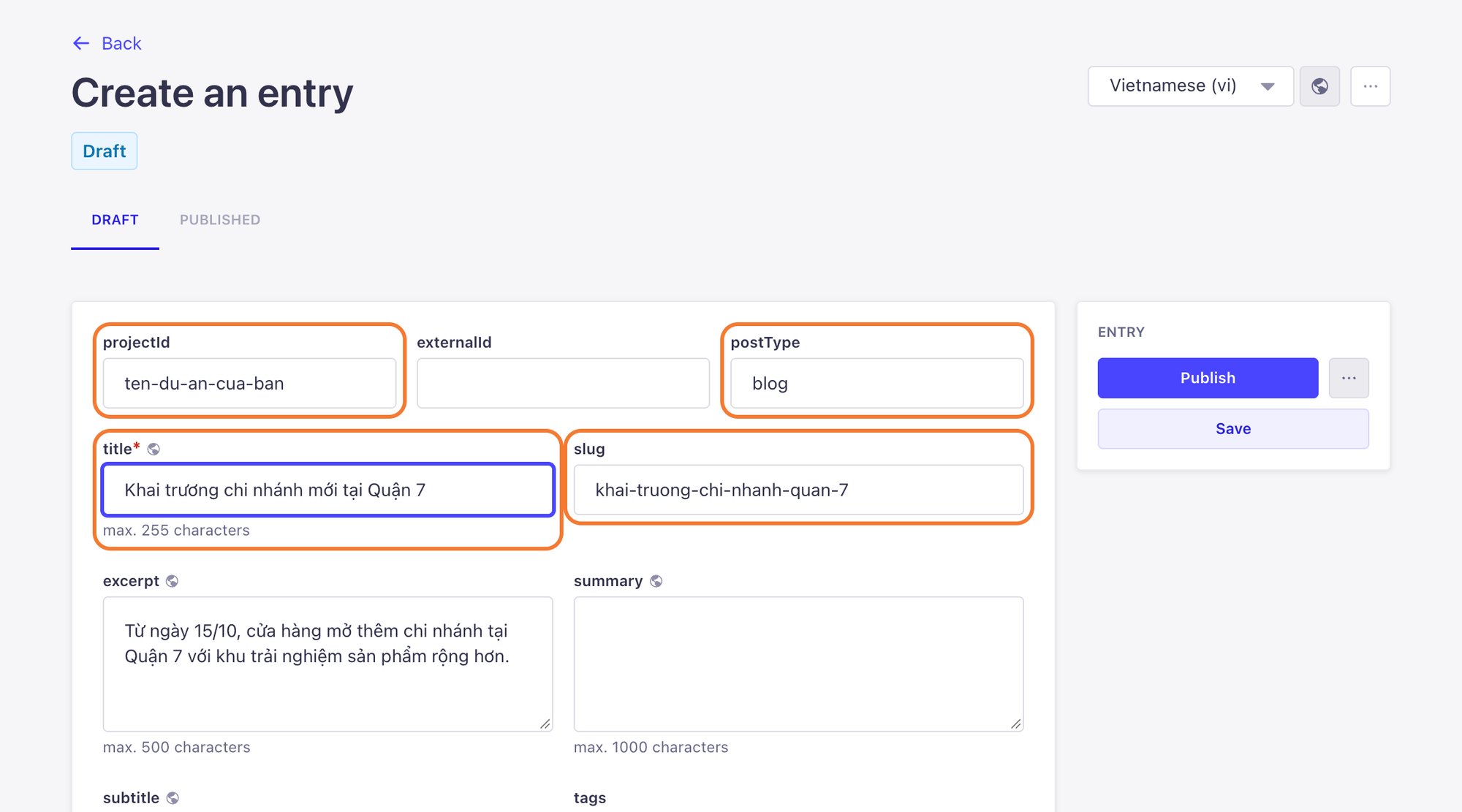
-
Is it in the right language? A post created in Vietnamese (vi) only shows on the Vietnamese pages. For the English pages, add an English version.
-
Is the category published? If your website lists posts by category, a draft category hides the post from that list.
-
Have you waited a few minutes? Your website keeps a short-term copy of content so it loads fast, so changes can take a few minutes. Reload with Ctrl + F5 (Windows) or Cmd + Shift + R (Mac).
Checked everything and still nothing? Message LaPage on Zalo with the post title and a screenshot of the post form.
Still need help
Can't find the answer?
Message LaPage on Zalo with what you are trying to do and a screenshot if you have one. We will walk you through it step by step.