Fill in a post's SEO details
The title and description that appear on Google and when the link is shared on Facebook or Zalo.
Updated October 9, 2026
Every post has a metadata section at the bottom of the form. Left empty, your website uses the post title and summary. Fill it in when you want to control how the post appears on Google.
Scroll to metadata and click No entry yet. Click to add one. to open the fields.
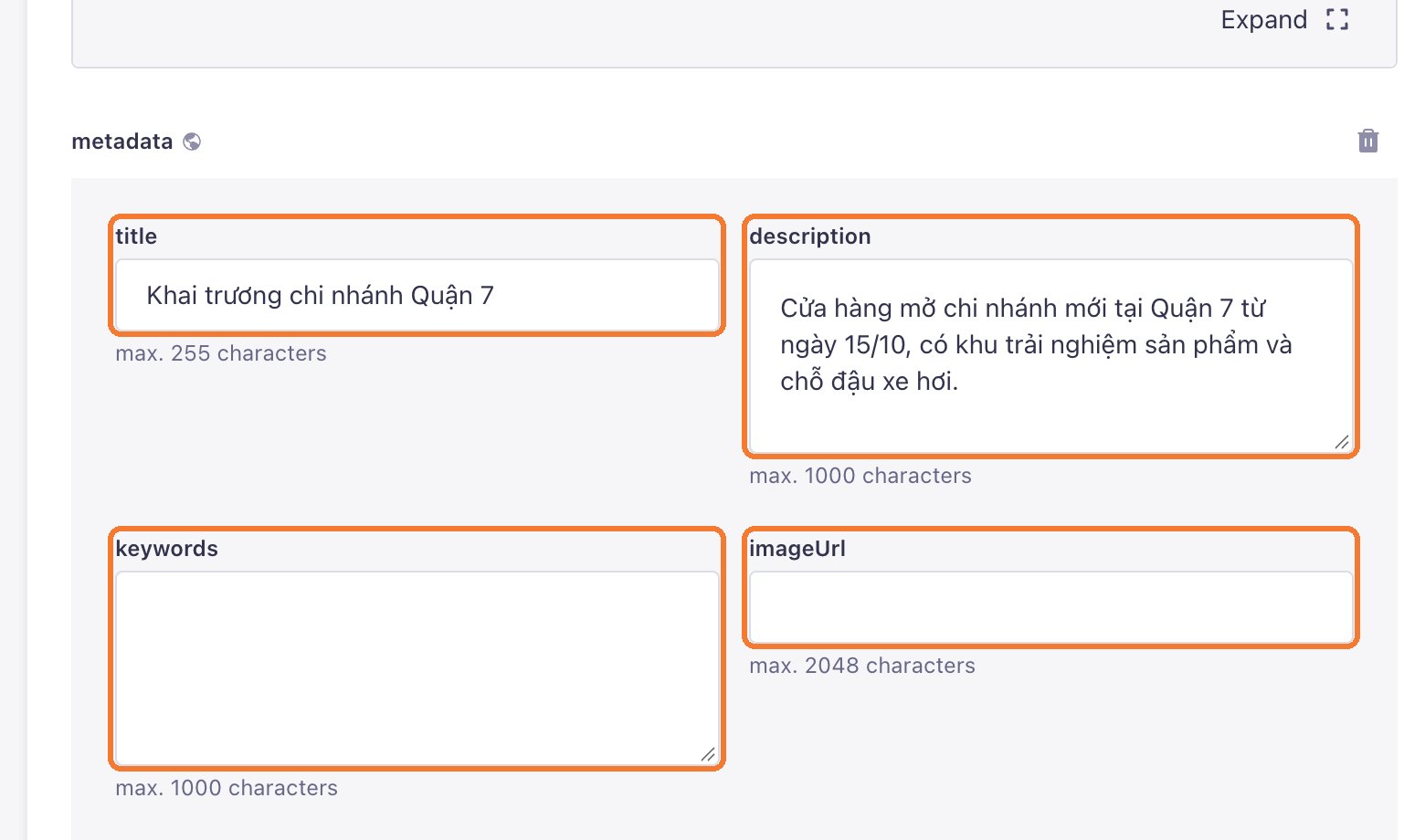
| Field | How to fill it |
|---|---|
| title | The title shown on Google, about 50–60 characters, with the main keyword |
| description | The text under the title, about 120–160 characters, saying what the reader gets |
| keywords | Can stay empty; Google no longer uses it for ranking |
| imageUrl | Leave empty to use the cover image. Fill it only for a different sharing image |
A few rules
- Keep the slug short with the keyword, and do not change it once the post has been live for a while, or old links break.
- Give every post its own SEO title.
- Click Publish after editing.
Still need help
Can't find the answer?
Message LaPage on Zalo with what you are trying to do and a screenshot if you have one. We will walk you through it step by step.